

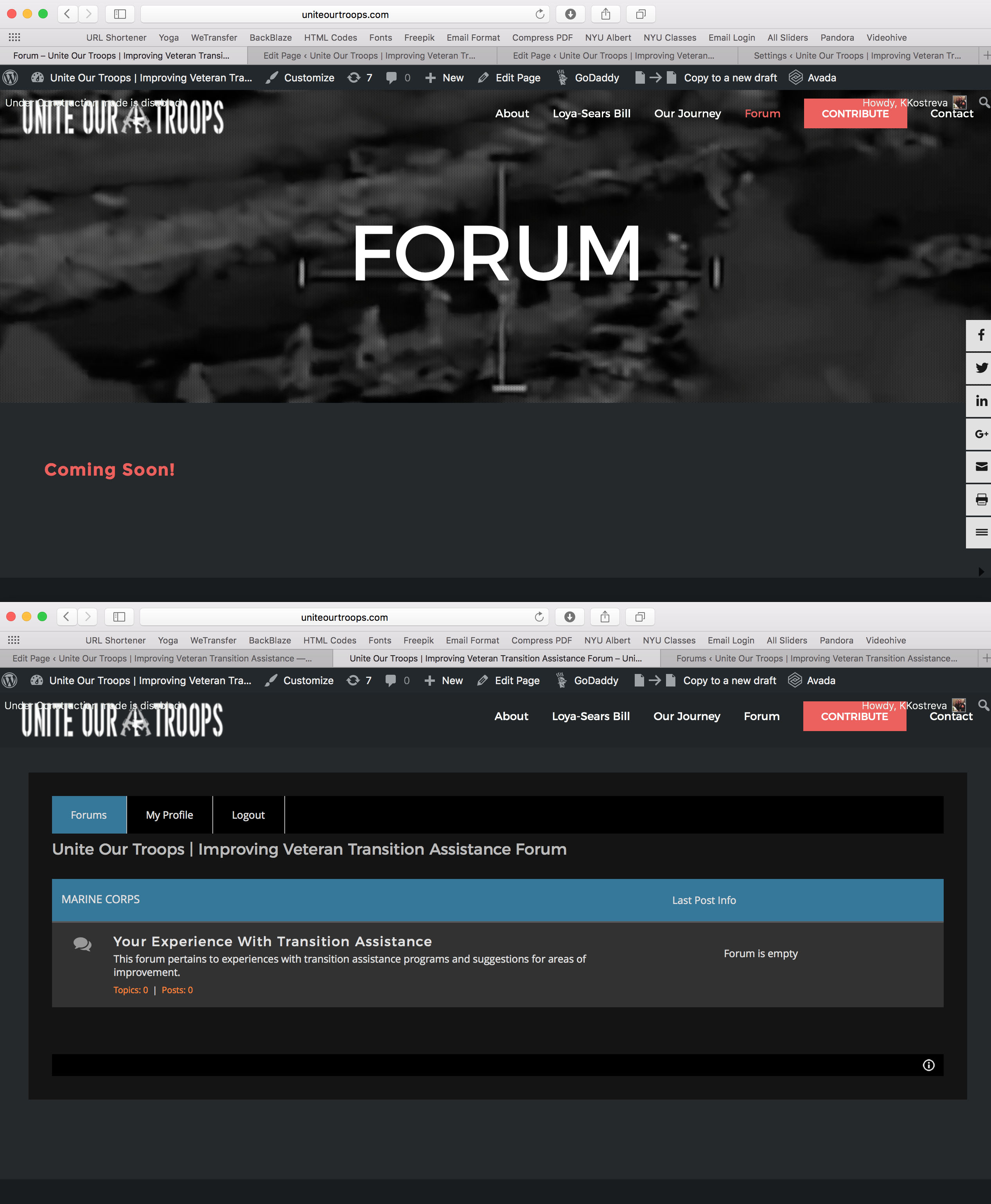
Hello! Thank you for your assistance as I cannot find an answer in your forum. I am using AVADA theme. My forum page is www.UniteOurTroops.com/forum. I have a slider header followed by some text that says "Coming Soon." When I add a code box below the header and text, using shortcode [wpforo], the header and text disappear. All I can see is the forum. When viewing the forum page (URL reads www.uniteourtroops.com/forum), if I click Edit from the Wordpress menu bar at the top, it takes me to www.UniteOurTroops.com/forum-2. It is literally not the page I was editing before. Something happens where your forum overrides what I was editing, yet editing the original page still affects the currently live forum page. I have tried deleting the /forum-2 page. Didn't work. It actually disabled the Forum. I unpublished it and if I view the page, then click edit, it takes me to the unpublished page, which I find unbelievable as that page is technically disabled. I have tried adding a header on the /forum-2, above the forum, but all you can see is [object Object].
I have also tried leaving the Forum Base URL blank, and also putting in "forum." No matter what I do, it goes to another page. I really like your forum, but I need to have the URL as /forum, with the header and text, then the forum inserted below, which usually happens when you simply insert a shortcode. Suggestions? See attached before and after image of page as described above.


Please make sure the forum-2 is also deleted from trash-box.
But if you don't have important data in forum, I'd recommend uninstall wpForo using "Uninstall" (not deactivate) button on Dashboard > Plugins list. Then delete all pages related to forum, empty trash-box. Then install it again.