

I am new to web design and am having an issue with the forum not showing the icons in the forum table on my website. Instead, little boxes are showing up. (See attachment "Forum Icon Issue".) However, I have a mobile plugin installed, and the icons show up perfectly on a mobile phone, so I'm not sure if it is an issue with my theme or something else.
I am also receiving an error message when trying to edit categories, etc. for the forum: "Conflict with another plugin which overwrites jQuery".
Would someone be able to assist me with this? Please see the webpage at http://mickmac-reviews.com/community/
Thank you!


Hi MickMAc,
I am new to web design and am having an issue with the forum not showing the icons in the forum table on my website. Instead, little boxes are showing up. (See attachment "Forum Icon Issue".) However, I have a mobile plugin installed, and the icons show up perfectly on a mobile phone, so I'm not sure if it is an issue with my theme or something else.
We see two Font-Awesome loaders. Second one is wpForo.
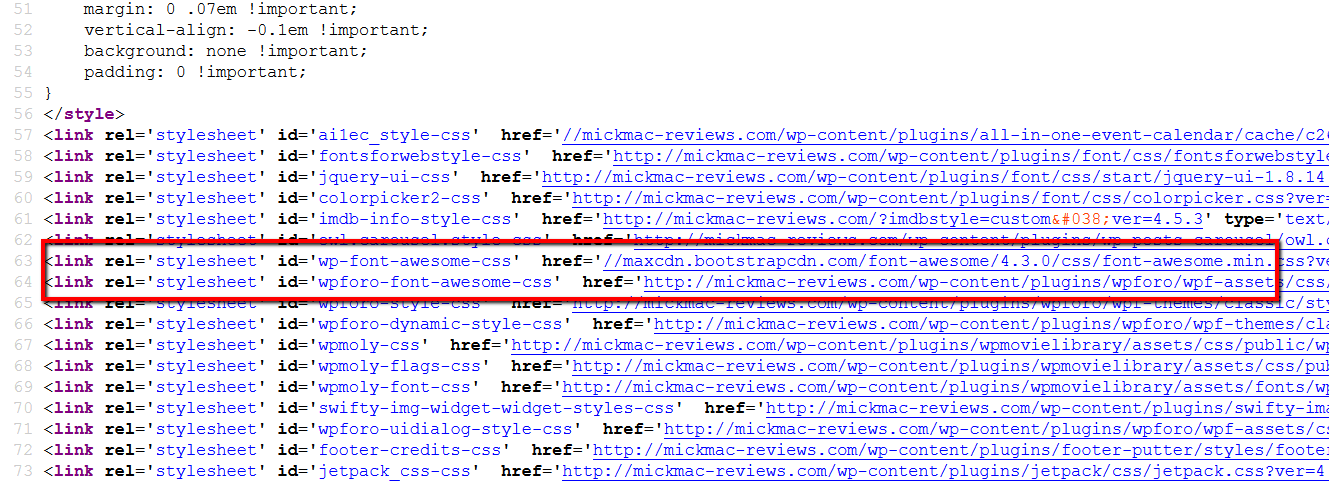
I'd recommend disable wpForo font-awesome. Please navigate to Forums > Settings > Features and disable "Enable wpForo Font-Awesome Lib" option.
I am also receiving an error message when trying to edit categories, etc. for the forum: "Conflict with another plugin which overwrites jQuery".
You should deactivate all plugins one by one and check Forums after each deactivation. This way you'll find the plugin which cause this problem. Just keep deactivated that plugin.
Thank you for your reply! I was able to find the plugin that was causing the conflict ("Font"), but that is a plugin that we really want to keep active. Disabling it seemed to only just remove the error message anyway, so I just re-enabled it.
Also, I disabled the Font-Awesome feature. However, the icons/buttons are still not showing up in the forum. This includes the editor buttons (e.g., Bold, Italic, etc.). I've attached a copy of a screenshot of a Reply box, which shows no buttons at all.
Is there any other fix that I could try? Also, please note that the MobileView plugin does allow the buttons to show in the mobile version. I'm starting to wonder if this might be an issue within the theme code itself.

At the moment I can only recommend two options:
1. Try to find an option to disable font-awesome in the problem maker plugin, and enable font-awesome in wpForo. This will be the vice versa of the way you've already done.
2. Try these two plugins with default WordPress theme on a fresh WP installation. It may help to figure out the real causer of this issue.