
AI Search
Classic Search
 Search Phrase:
 Search Type:
Advanced search options
 Search in Forums:
 Search in date period:

 Sort Search Results by:

AI Assistant
Notifications
Clear all

[Solved] Place forum on password protected page

4 Posts
2 Users
1 Reactions
3,830 Views
Posts: 3
Topic starter
Translate
English
Spanish
French
German
Italian
Portuguese
Russian
Chinese
Japanese
Korean
Arabic
Hindi
Dutch
Polish
Turkish
Vietnamese
Thai
Swedish
Danish
Finnish
Norwegian
Czech
Hungarian
Romanian
Greek
Hebrew
Indonesian
Malay
Ukrainian
Bulgarian
Croatian
Slovak
Slovenian
Serbian
Lithuanian
Latvian
Estonian
(@arhodes5)
Active Member
Joined: 9 years ago
[#3999]

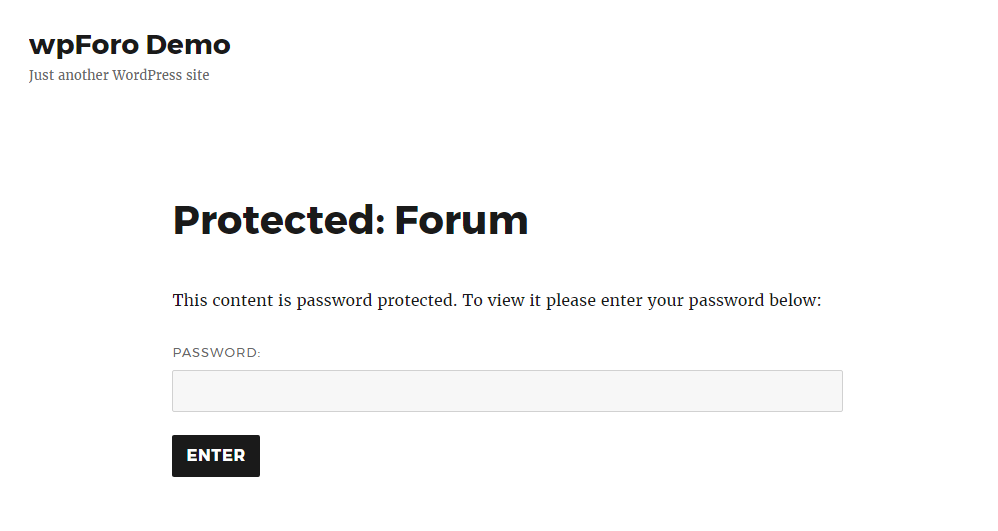
I want to place my forum on a WP password protected page such as www.domain.com/myforum. There would be a wp password login on the www.domain.com page that would take the visitor to the forum. Usually, if a visitor navigates directly to a password protected page such as www.domain.com/myprivatepage, wp prompts them for a password. But if I place my forum on this page, the forum overrules the wp protected page setting. So if the visitor navigates directly to it, the forum appears. 

How do I place the wp foro on a wp password protected page such that it only appears if a visitor enters the wp password? I don't want a visitor to be able to directly navigate to this page without using the wp password. 

Thank you

Andrew


3 Replies
Robert
Posts: 10741
Admin
Translate
English
Spanish
French
German
Italian
Portuguese
Russian
Chinese
Japanese
Korean
Arabic
Hindi
Dutch
Polish
Turkish
Vietnamese
Thai
Swedish
Danish
Finnish
Norwegian
Czech
Hungarian
Romanian
Greek
Hebrew
Indonesian
Malay
Ukrainian
Bulgarian
Croatian
Slovak
Slovenian
Serbian
Lithuanian
Latvian
Estonian
(@robert)
Support Team
Joined: 3 months ago

We just tested with default theme and it works fine. It seems you've entered the password one time on front -end and it remembers.

  • Please test it as guest and as other logged in user.
  • Test it on new page
  • Change the theme and test it with the default one. I think this is a theme problem 99%.
  • Make sure "Use output buffer" option is "Yes" in Forums > Settings > Features admin page


Posts: 3
Topic starter
Translate
English
Spanish
French
German
Italian
Portuguese
Russian
Chinese
Japanese
Korean
Arabic
Hindi
Dutch
Polish
Turkish
Vietnamese
Thai
Swedish
Danish
Finnish
Norwegian
Czech
Hungarian
Romanian
Greek
Hebrew
Indonesian
Malay
Ukrainian
Bulgarian
Croatian
Slovak
Slovenian
Serbian
Lithuanian
Latvian
Estonian
(@arhodes5)
Active Member
Joined: 9 years ago

Thanks for the response. I've tested all those suggestions except changing themes. I'll place a support request on my theme's tech support forum as well. 

If I place the shortcode [wpforo] on a protected page, then yes the password box appears. When I also set that page as the forum base url, the forum takes over the page without asking for a password. So the problem is really with the base url setting. 


Posts: 3
Topic starter
Translate
English
Spanish
French
German
Italian
Portuguese
Russian
Chinese
Japanese
Korean
Arabic
Hindi
Dutch
Polish
Turkish
Vietnamese
Thai
Swedish
Danish
Finnish
Norwegian
Czech
Hungarian
Romanian
Greek
Hebrew
Indonesian
Malay
Ukrainian
Bulgarian
Croatian
Slovak
Slovenian
Serbian
Lithuanian
Latvian
Estonian
(@arhodes5)
Active Member
Joined: 9 years ago

Solved:

I kept reading the support forums and found a 'solution'. For a different problem related to the base url, someone suggested uninstalling wpforo and then reactivating it. When I did this, the forum now appears behind the password protected page. 

Thanks


Share: