

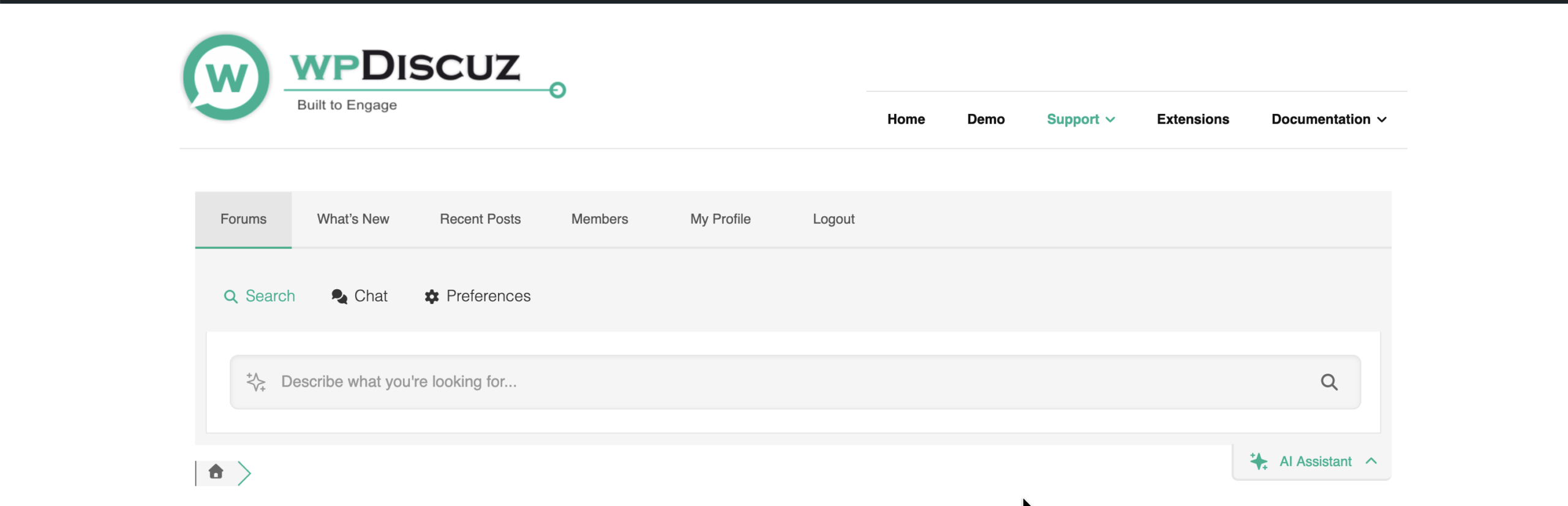
We've got it running on our dev site but struggling with the indexing. Our forum is 10m posts. But I can't seem to find the AI Widget or the Chat bot visible on the front end. We are on the business subscription with lots of credits. Other AI features are visible like a 'summarise' button and 'translate'. What am I missing?

Hi @singletrackmark,
I'd not recommend do full indexing on a dev website. If you want to test please index one forum or subforum. In your case we recommend use the cloud storage.
Please make sure you use the latest Beta version: https://v3.wpforo.com/downloads/
Also, please make sure the forum menu section is not hidden with CSS Code. The AI Assignment widget should be open by default if you're using 3.0.0.20 and higher versions. You can see the widget on one of our forums: https://wpdiscuz.com/community/
In case you want to say thank you !)
We'd really appreciate and be thankful if you leave a good review on plugin page. This is the best way to say thank you to this project and support team.
We are using the latest Beta. CSS could be the culprit. You can see our issue here https://stg-singletrack-preprod.kinsta.cloud/forum/recent/
We will be using the cloud option when live for sure. But at the moment we are indexing a small number of posts locally. When we swicth to cloud storage on our dev site it 504s on us - suspect our timeout setting is shorter than what is needed.
- Please make sure the AI Assignment and Semantic Search are enabled in wpForo > Settings > AI Features (setting page)
- Also, edit the usergroups in wpForo > Usergroups admin page and make sure the AI permissions re enabled for all usergroups you want.
- In any case save the settings page even if you don't do any changes, then go to Dashboard > wpForo > Overview admin page, find the [Delete All Caches] and click that button.
In case you want to say thank you !)
We'd really appreciate and be thankful if you leave a good review on plugin page. This is the best way to say thank you to this project and support team.
I see you have set very large number for recent reply and topic per page loading settings. This will kill the performance for such a large forum. The recommended values are these, please set them:
1. In wpForo > Settings > Display Forums:
Extended Layout - Number of Recent topics: 10 or maximum 20
2. In wpForo > Settings > Display Topics & Posts:
Extended Layout - Number of Recent posts: 3 or maximum 5
In case you want to say thank you !)
We'd really appreciate and be thankful if you leave a good review on plugin page. This is the best way to say thank you to this project and support team.
Done that. Would you suggest we now swicth to cloud indexing and try indexing a small section of posts?
The forum menu is still not appearing yet
Yes, please switch to the Cloud Storage.
For the AI Assistant widget, please open a support ticket here: https://v3.wpforo.com/support/add-topic/
It looks like some frontend elements were misconfigured or broken by other plugins or your theme, so fixing this will require admin access.
In case you want to say thank you !)
We'd really appreciate and be thankful if you leave a good review on plugin page. This is the best way to say thank you to this project and support team.
