
AI Search
Classic Search
 Search Phrase:
 Search Type:
Advanced search options
 Search in Forums:
 Search in date period:

 Sort Search Results by:

AI Assistant
Notifications
Clear all

How can I see if there are new messages or topics in a forum?

4 Posts
3 Users
0 Reactions
181 Views
Posts: 8
Topic starter
Translate
English
Spanish
French
German
Italian
Portuguese
Russian
Chinese
Japanese
Korean
Arabic
Hindi
Dutch
Polish
Turkish
Vietnamese
Thai
Swedish
Danish
Finnish
Norwegian
Czech
Hungarian
Romanian
Greek
Hebrew
Indonesian
Malay
Ukrainian
Bulgarian
Croatian
Slovak
Slovenian
Serbian
Lithuanian
Latvian
Estonian
(@gjhvs)
Active Member
Joined: 1 month ago
[#72967]

Hi!

I am just starting to use wpForo on my Madonna fanclub website. I used to use phpBB but it was a stand-alone apllication. I love how wpForo is part of my Wordpress site.

I have a question. When  I visit the homepage of the forum, how can I see if there are new messages since my last visit? In phpBB for instance the icon would get a differten colour. I find it very hard in wpForo to see if I have new messages or topics since my last visit.
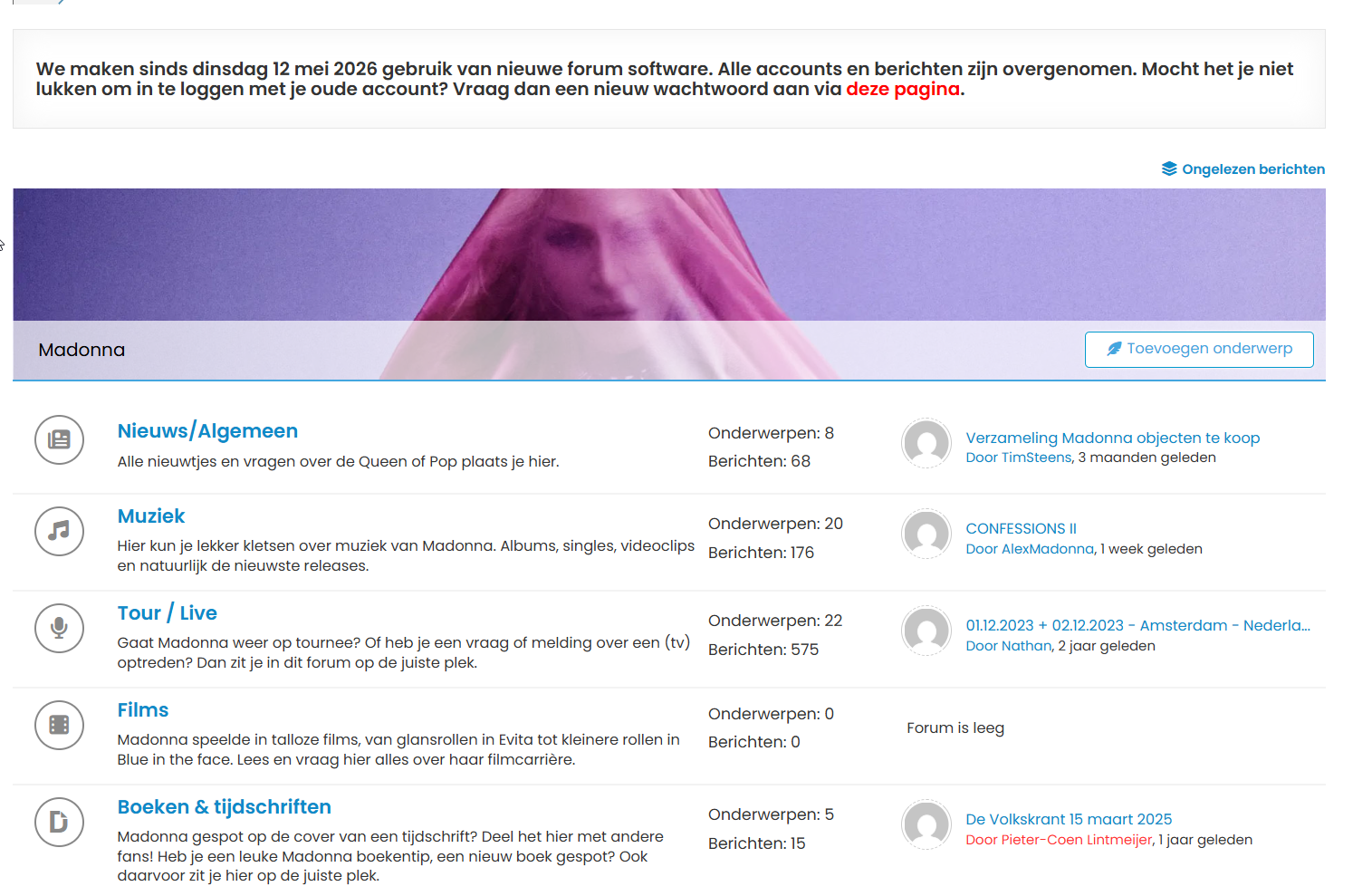
forum home page


3 Replies
1 Reply
wpForo Support
Moderator
(@wpforo-support)
Joined: 8 months ago

Member
Posts: 60
Translate
English
Spanish
French
German
Italian
Portuguese
Russian
Chinese
Japanese
Korean
Arabic
Hindi
Dutch
Polish
Turkish
Vietnamese
Thai
Swedish
Danish
Finnish
Norwegian
Czech
Hungarian
Romanian
Greek
Hebrew
Indonesian
Malay
Ukrainian
Bulgarian
Croatian
Slovak
Slovenian
Serbian
Lithuanian
Latvian
Estonian

Hi gjhvs,

Great question! I understand the transition from phpBB can feel different at first, but wpForo actually has some solid built-in features to help you track new content. Let me walk you through the main ways to see what's new since your last visit.

The quickest method is using the "Unread Posts" feature: At the top of your forum screen, you'll find an "Unread Posts" option that displays all new threads and replies since you last visited. This is similar to the color-coded icons you were used to in phpBB—it gives you a quick overview of what's fresh without having to browse each forum individually.

You can also use the "Recent Posts" menu, which shows you the latest activity across your forum. This helps you spot new discussions at a glance and jump directly to them.

For more granular control, consider using subscriptions: wpForo lets you subscribe to individual topics or entire forums. When you subscribe, you'll get notifications about new replies, so you don't have to manually check each time. You can manage all your subscriptions from your profile under the "Subscriptions" tab. This way, you're only notified about content you care about most.

Since you mentioned finding it hard to see new messages, I'd recommend starting with the "Unread Posts" link at the top—that should give you the quickest visual feedback similar to what you had with phpBB. Does that help clarify things, or are you looking for something more specific in terms of how unread content is displayed?


Reply
Posts: 8
Topic starter
Translate
English
Spanish
French
German
Italian
Portuguese
Russian
Chinese
Japanese
Korean
Arabic
Hindi
Dutch
Polish
Turkish
Vietnamese
Thai
Swedish
Danish
Finnish
Norwegian
Czech
Hungarian
Romanian
Greek
Hebrew
Indonesian
Malay
Ukrainian
Bulgarian
Croatian
Slovak
Slovenian
Serbian
Lithuanian
Latvian
Estonian
(@gjhvs)
Active Member
Joined: 1 month ago

Hi!

Unread Posts does it for me 😉 

I tried it over here on this forum and it works good! 

But I tried it on my own forum with 2 accounts I have. With account 1 I made three new topics. Then I log in with account number 2. Go to unread posts and see the 3 three new messages (see screenshot)
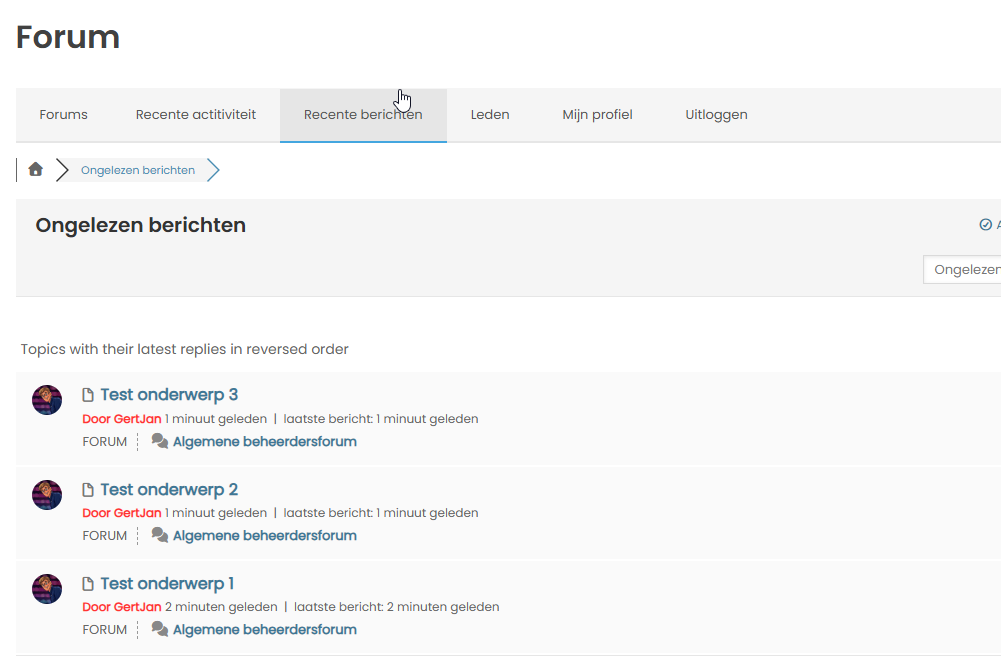
3 unread messages

I go an click on 'Test onderwerp 1' and view that message. Then I go back to home and click again on unread posts and there no new messages.. And I haven't yet read 'Test onderwerp 2' and 'Test ondewerp 3'. So that is not working correctly on my site. How can I fix this?


Reply
1 Reply
Sofy
 Sofy
Admin
(@sofy)
Joined: 8 years ago

Support Team
Posts: 5806
Translate
English
Spanish
French
German
Italian
Portuguese
Russian
Chinese
Japanese
Korean
Arabic
Hindi
Dutch
Polish
Turkish
Vietnamese
Thai
Swedish
Danish
Finnish
Norwegian
Czech
Hungarian
Romanian
Greek
Hebrew
Indonesian
Malay
Ukrainian
Bulgarian
Croatian
Slovak
Slovenian
Serbian
Lithuanian
Latvian
Estonian

@gjhvs

You should check it in incognito mode or with another browser, as read/unread topics are detected using browser cookies. So, using the same browser may cause issues.


Reply
Share: