
AI Search
Classic Search
 Search Phrase:
 Search Type:
Advanced search options
 Search in Forums:
 Search in date period:

 Sort Search Results by:

AI Assistant
Notifications
Clear all

[Closed] Bug

5 Posts
2 Users
0 Reactions
1,792 Views
Posts: 18
Topic starter
Translate
English
Spanish
French
German
Italian
Portuguese
Russian
Chinese
Japanese
Korean
Arabic
Hindi
Dutch
Polish
Turkish
Vietnamese
Thai
Swedish
Danish
Finnish
Norwegian
Czech
Hungarian
Romanian
Greek
Hebrew
Indonesian
Malay
Ukrainian
Bulgarian
Croatian
Slovak
Slovenian
Serbian
Lithuanian
Latvian
Estonian
(@superfly)
Eminent Member
Joined: 7 years ago
[#8926]

I found a bug on the threaded layout. The video describes details: https://cl.ly/90daaa49896c

The page is located at https://www.tradingschools.org/community/

Thanks


4 Replies
Posts: 1001
Moderator
Translate
English
Spanish
French
German
Italian
Portuguese
Russian
Chinese
Japanese
Korean
Arabic
Hindi
Dutch
Polish
Turkish
Vietnamese
Thai
Swedish
Danish
Finnish
Norwegian
Czech
Hungarian
Romanian
Greek
Hebrew
Indonesian
Malay
Ukrainian
Bulgarian
Croatian
Slovak
Slovenian
Serbian
Lithuanian
Latvian
Estonian
(@martin)
Support Team
Joined: 10 years ago

@superfly,

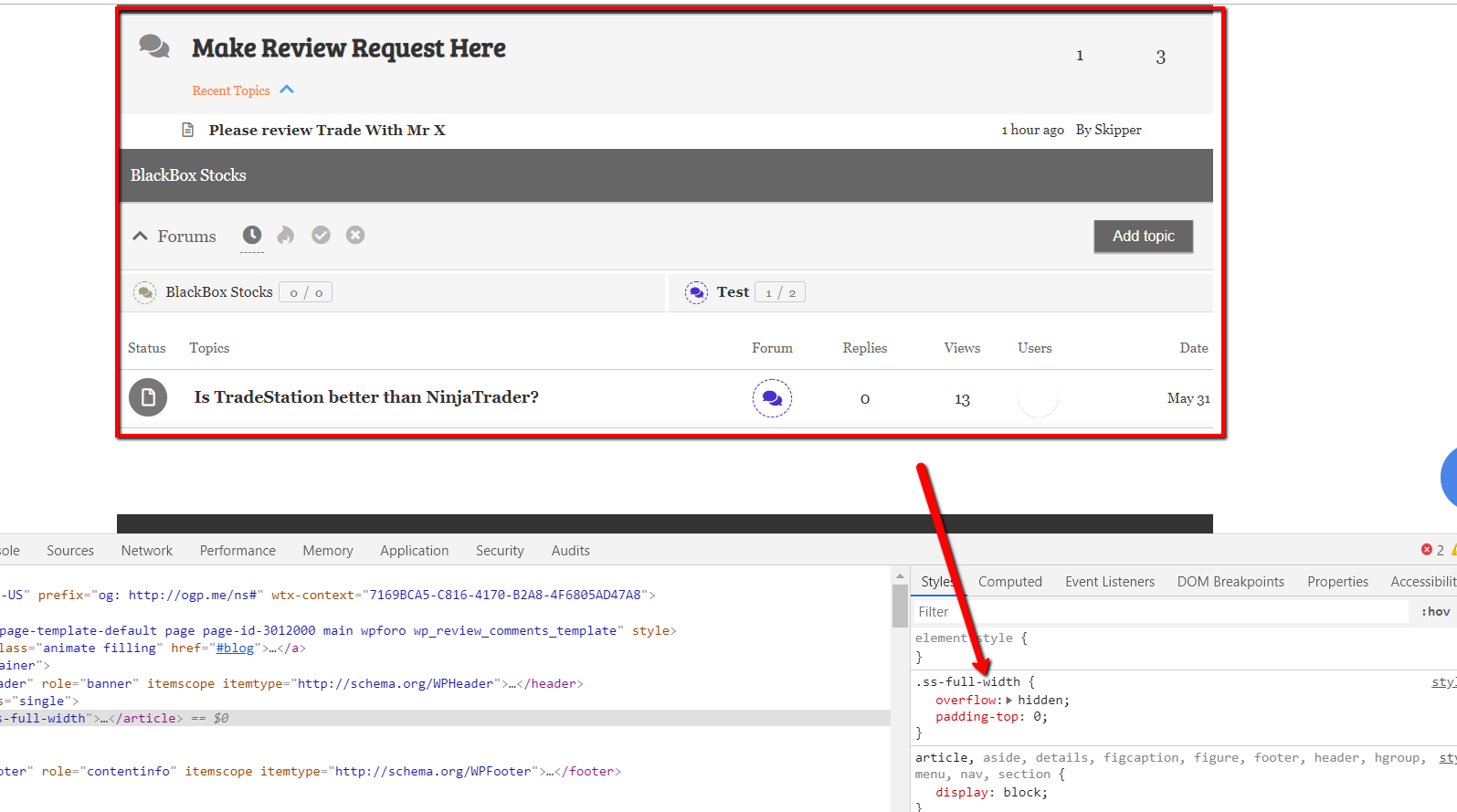
This is not wpForo bug, this issue comes from your theme page wrapper, it sets overall hidden attribute in CSS code. Just put this CSS code in Dashboard > Forums > Settings > Styles > Custom CSS Code textarea, save it , delete all caches and press Ctrl+F5 on forum front-end to reset browser cache.

.wpforo .ss-full-width {
   overflow: visible;
}

Posts: 1001
Moderator
Translate
English
Spanish
French
German
Italian
Portuguese
Russian
Chinese
Japanese
Korean
Arabic
Hindi
Dutch
Polish
Turkish
Vietnamese
Thai
Swedish
Danish
Finnish
Norwegian
Czech
Hungarian
Romanian
Greek
Hebrew
Indonesian
Malay
Ukrainian
Bulgarian
Croatian
Slovak
Slovenian
Serbian
Lithuanian
Latvian
Estonian
(@martin)
Support Team
Joined: 10 years ago

As far as I see you have W3 Total Cache. After putting this code you should delete all caches of this plugin, and press  Ctrl+F5 on forum front-end twice.


Posts: 18
Topic starter
Translate
English
Spanish
French
German
Italian
Portuguese
Russian
Chinese
Japanese
Korean
Arabic
Hindi
Dutch
Polish
Turkish
Vietnamese
Thai
Swedish
Danish
Finnish
Norwegian
Czech
Hungarian
Romanian
Greek
Hebrew
Indonesian
Malay
Ukrainian
Bulgarian
Croatian
Slovak
Slovenian
Serbian
Lithuanian
Latvian
Estonian
(@superfly)
Eminent Member
Joined: 7 years ago

Hey Martin,

We are getting closer...I think. The css code partially worked. See video: https://cl.ly/021752ffabef


1 Reply
Moderator
(@martin)
Joined: 10 years ago

Support Team
Posts: 1001
Translate
English
Spanish
French
German
Italian
Portuguese
Russian
Chinese
Japanese
Korean
Arabic
Hindi
Dutch
Polish
Turkish
Vietnamese
Thai
Swedish
Danish
Finnish
Norwegian
Czech
Hungarian
Romanian
Greek
Hebrew
Indonesian
Malay
Ukrainian
Bulgarian
Croatian
Slovak
Slovenian
Serbian
Lithuanian
Latvian
Estonian

The cache is not deleted well so the code is not there yet, it should not work and it doesn't work. On the small screen it works because of your theme, not because of the code I provided. In video I don't see Ctrl+F5 full refresh of your browser. You should do that twice. 

If it still doesn't work, just put that code in Additional CSS section of website. In Top admin bar > Customize > Additional CSS textarea. Save it, delete all caches and press Ctrl+F5 twice on forum front-end.


Share: