
AI Search
Classic Search
Notifications
Clear all
Bug Reports - wpForo 3.0
5
Posts
3
Users
0
Reactions
1,047
Views

May 20, 2026 11:25 am
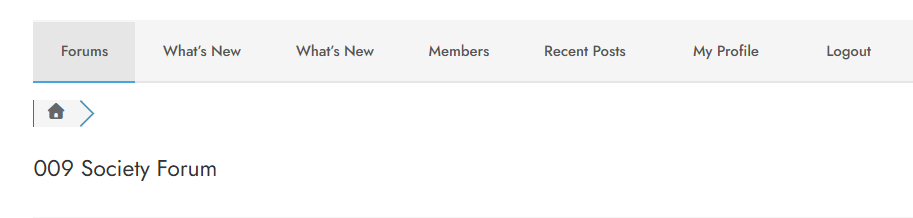
In the header for my board the What's New button is shown twice which is not affecting performance but is getting lots of discussions and complaints from my community 🙁
Is there a way to cure this?
4 Replies

May 20, 2026 11:43 am
Please go to Dashboard > Appearance > Menus, select the wpForo Navigation Menu, find the second What's new item and remove it.
May 20, 2026 12:00 pm
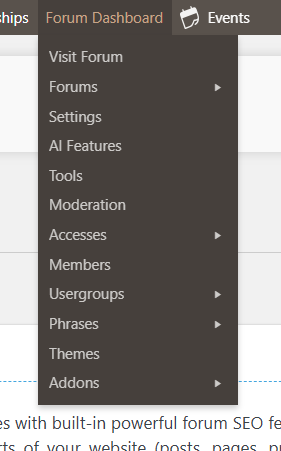
@robert Thank you for the quick reply - unfortunately I don't find appearance in the Forum Dashboard, or in the Settings either 🙁 Also using the Search function in the Settings Menu doesn't find anything 🙁


May 20, 2026 1:01 pm
@martin thank you for the clarification. I was not clear that he meant the Wordpress Menu