AI Search
Classic Search
Notifications
Clear all

Mar 16, 2020 11:24 pm
Hi.
Please could someone let me know how to disable the links he RSS feed and the link underneath the users name that takes them to the user profile. I do not want my users to have these facilities.
Thanks in advance.
1 Reply



Mar 17, 2020 1:16 pm
Hi @topazann
how to disable the links he RSS feed ,
Please navigate to Dashboard > Forums > Settings > Features admin page, here you need to disable RSS Feed option.

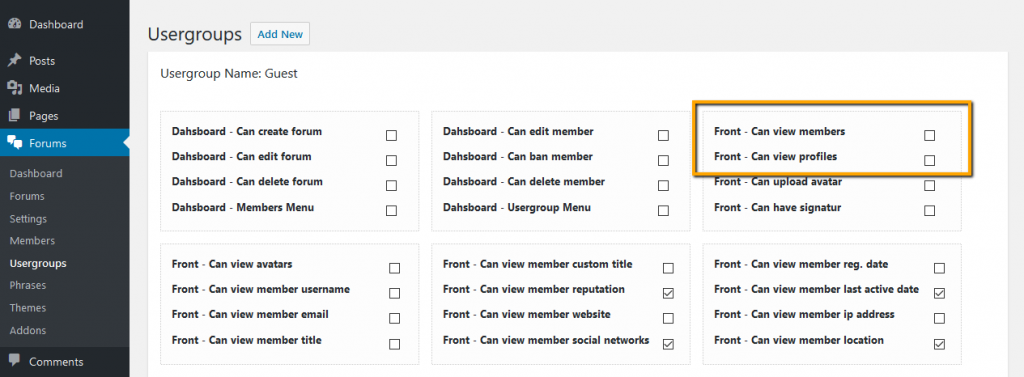
the link underneath the users name that takes them to the user profile.
You can control usergroup permissions to see Members list and other users Profiles. Just edit the Usergroup you want and manage CAN's (permissions).