

I also found that wpforo cache folder /wp-content/uploads/wpforo/cache/ is empty. The cache does not work despite all wpforo cache options are enabled.
Please delete the /wp-content/uploads/wpforo/cache/ folder.

I disabled HTML cache, then deleted /cache/ folder, and updated topic page. The cache folder with files was created, but guests don't see pagination.
Thank you @antonm,
Let's check option specific issues. Could you please navigate to Dashboard > Forums > Settings > Topics & Posts tab and set 15 for these options? Then delete all caches in Dashboard > Forums > Dashboard admin page and check it again:
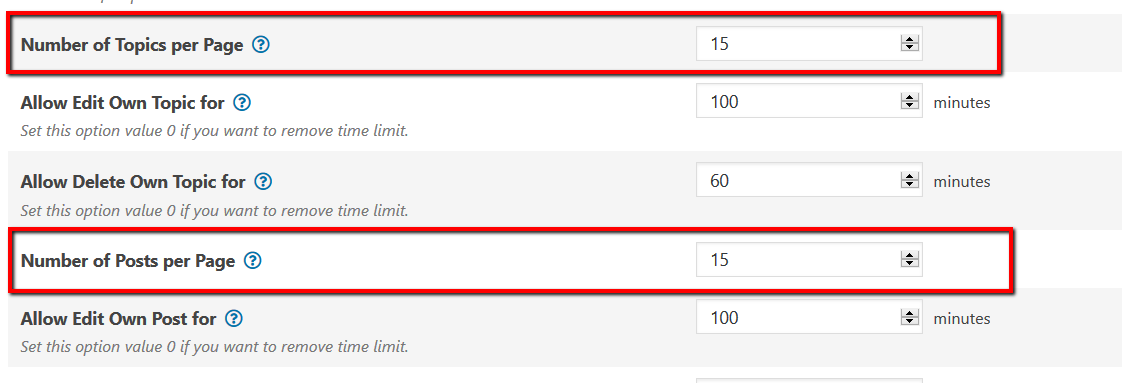
If that doesn't help, please click on the [Update Topic Statistic] then [Update Forum Statistic] buttons then [Delete all caches] and check it again.
Could you please send admin login details to support[at]gvectors.com email address?