

We've just released wpForo 3.1 middle version!
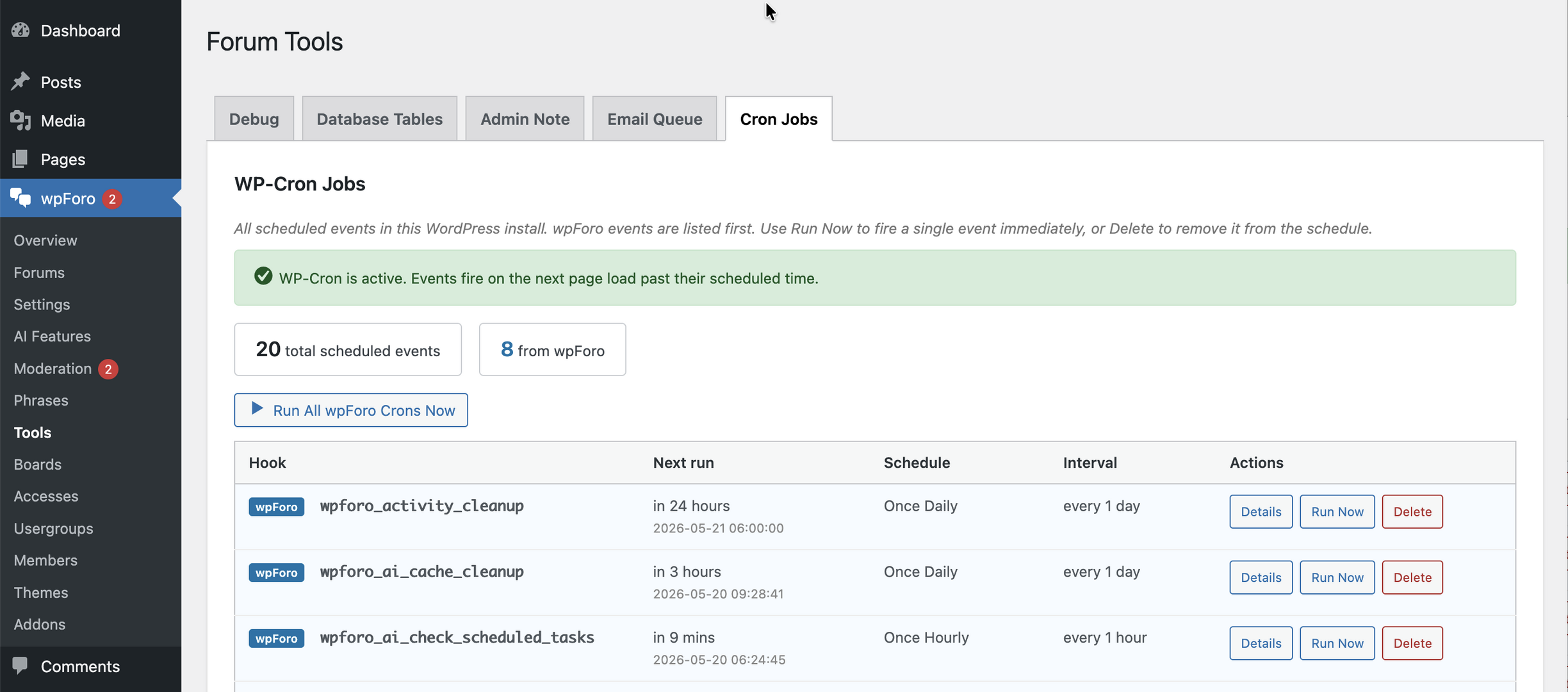
wpForo 3.1 comes with better performance and posting speed. Lots of bugs have been fixed along with security issues. Added new tabs in wpForo > Tools admin page for Email Queue and Cron Job monitoring.
3.1.7 Changes
- Security: Fixed stored XSS vulnerability in some text fields
- Fixed: Infinite recursion causing fatal error and 504/508 timeouts on forum pages
3.1.6 Changes
- Compatibility: WordPress 7.1
- Security: Fixed PHP Object Injection vulnerability in custom form fields
- Security: Fixed Guest Post Takeover vulnerability allowing guest topics and posts to be edited via a forged ownership cookie
- Security: Fixed Stored XSS vulnerability in topic tags, exposed on topic pages, forum listings, the Tags page and search results
- Security: Fixed AI credit exhaustion via rate limit manipulation
- Security: Hardened profile field deserialization against crafted payloads, including a denial of service on the registration form
- Added: Frequency, A-Z and Z-A sort controls on the Tags page
- Optimized: Forum cache file limit is now calculated from the online members count, with oldest-first cleanup instead of a full cache wipe
- Fixed: Tag links no longer break for tags containing &, # or + characters
3.1.5 Changes
- Optimized: Mark all read button database query
- Fixed: Fatal error when admin bar renders before wpForo initialization
- Fixed: first_name and last_name fields silently discarded on registration
3.1.3/3.1.4 Changes
- Security: Fixed access control bypass in widget AJAX handlers (Recent Topics, Recent Posts, Online Members)
- Security: Fixed missing view_access() checks in AI translation and summarization endpoints
- Security: Fixed AI search indexing unapproved forum posts
- Security: Fixed WordPress content indexer ignoring password-protected posts
- Security: Fixed XSS vulnerability in AI-generated HTML responses
- Security: Fixed mass assignment bypass in profile and registration forms
- Fixed: Missing itemprop name attribute in Members breadcrumb
3.1.2 Changes
- Security: Security: Fixed Stored XSS vulnerability in profile fields
- Security: Fixed IDOR vulnerability in AI Chat messaging
- Security: Fixed Mass Assignment vulnerability with privilege escalation via profile fields
- Added: UltimateMember profile integration now supports ‘favored’ subnav
- Fixed: Issue with User Custom Fields addon, the missing fields data
- Fixed: PostMeta array-value guard incorrectly dropping checkbox/multi-select field values
- Fixed: Undefined array key ‘topicurl’ warning in Feed.php
3.1.1 Changes
- Security: Fixed Broken Authentication vulnerability allowing administrator email mutation
- Security: Fixed PHP Object Injection vulnerability via widget AJAX handlers
3.1.0 Changes
- Compatibility: WordPress 7.0
- Security: Fixed vulnerability issue in the Revisions module
- Security: Fixed vulnerability issue in Gutenberg block renderers
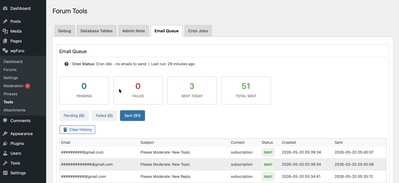
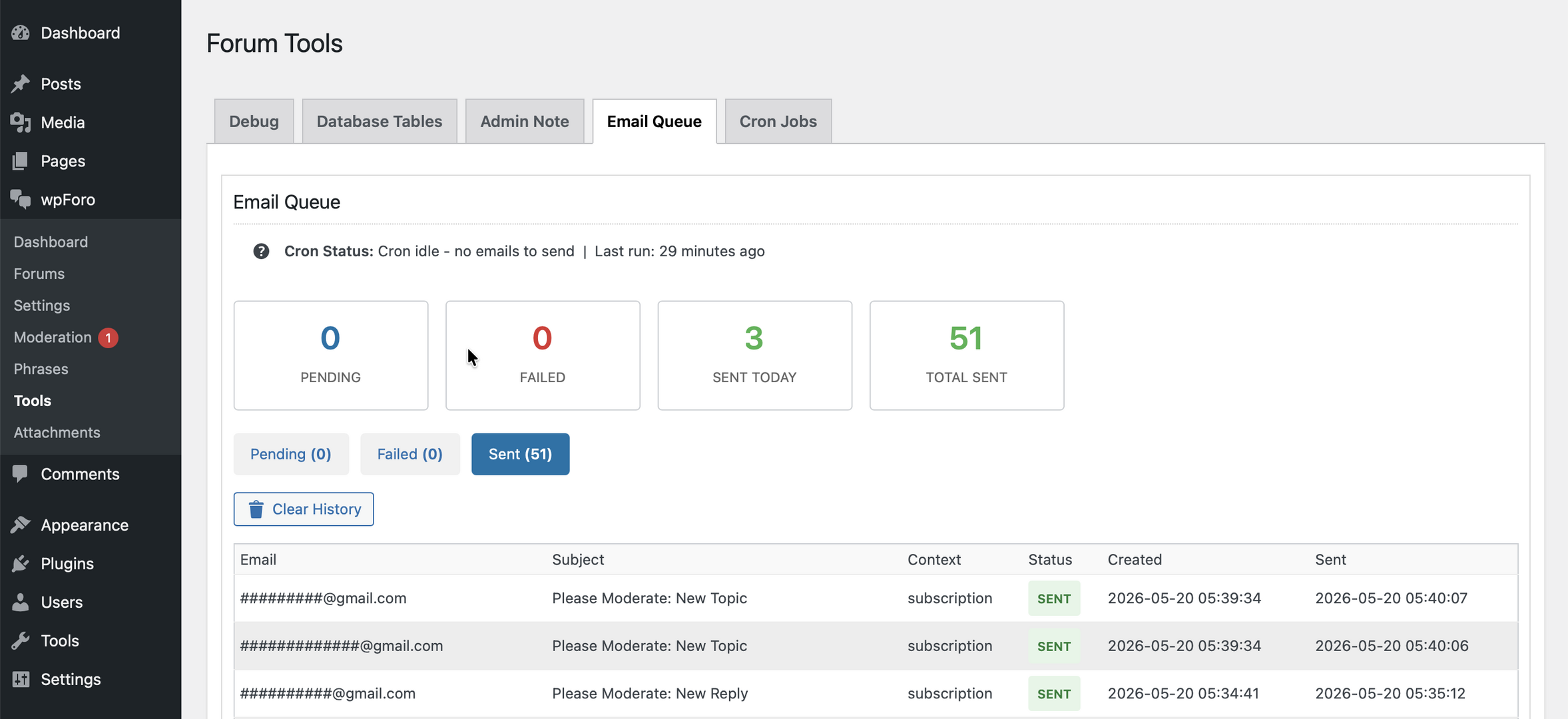
- New: Tools – Email Queue Tab, email notifications now sent asynchronously with automatic fallback to direct sending when WP-Cron is broken or disabled, dramatically reducing post-submission delays on busy forums
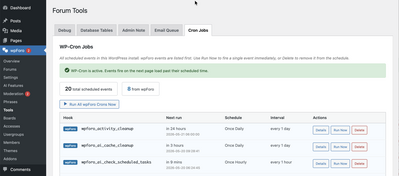
- New: Tools – Cron Jobs Tab, listing every WordPress scheduled event with per-row Run Now / Delete / Details, wpForo events sorted to the top
- Fixed: Duplicate email notifications could be sent for posts that pass moderation
- Fixed: Duplicate topic view counts could be recorded for the same user
- Fixed: Processing spinner could remain visible after indexing completed
- Fixed: Email Queue admin tab now shows “Cron idle” instead of “unknown” when there are no emails to send
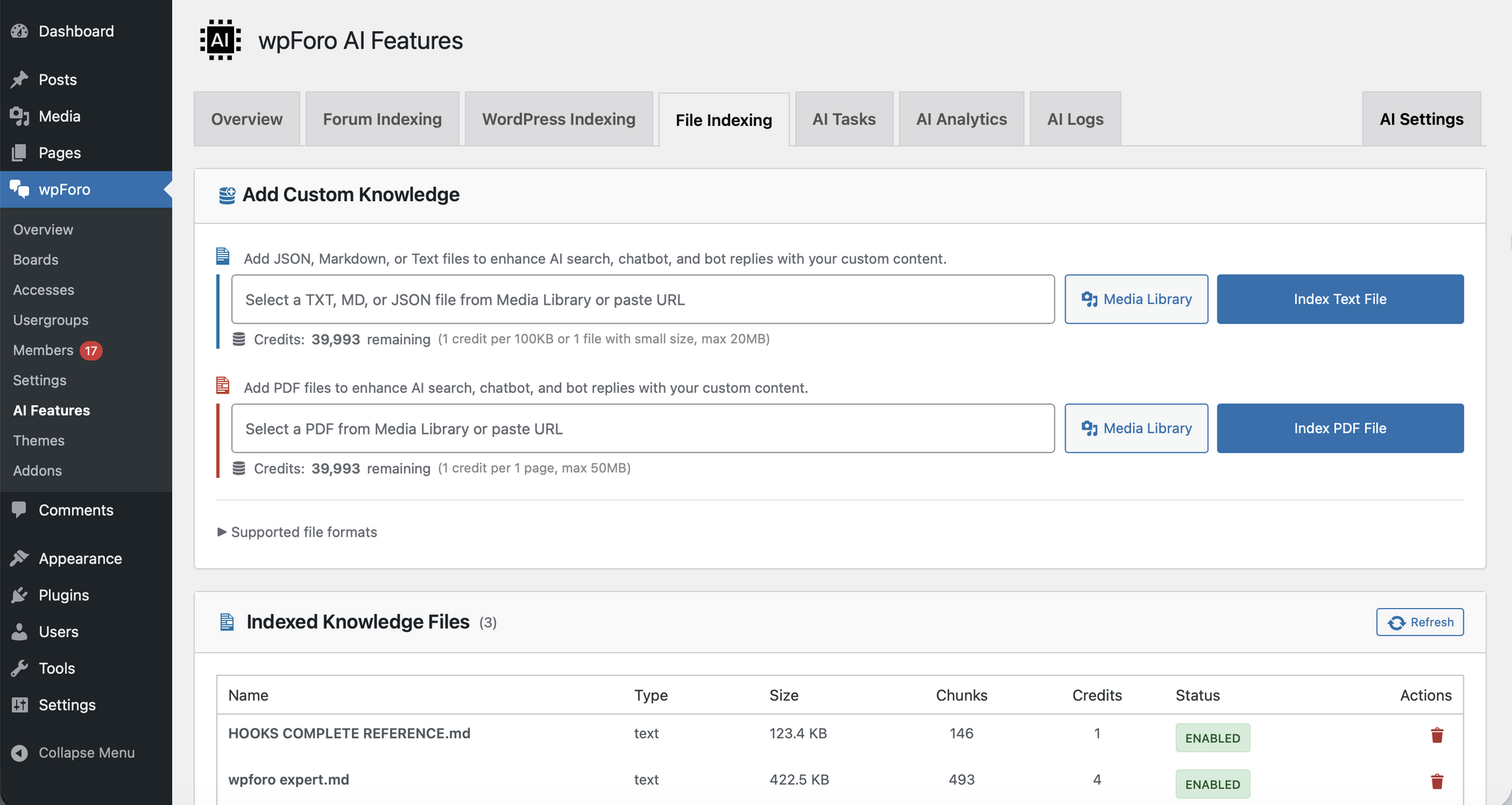
- AI New: Custom Knowledge – upload TXT, MD, JSON, and PDF files (Business+ plan) to enhance AI Chatbot and Bot Reply with your own documentation
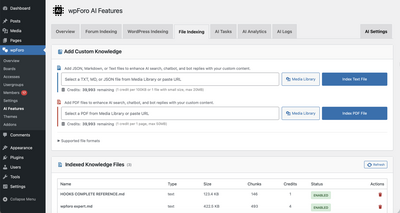
- AI New: Custom Knowledge – scanned/image-only PDFs auto-fall back to OCR when native text is sparse
- AI New: Custom Knowledge integrated into AI Chatbot, and AI Topic Suggestions
- AI Improved: AI cron jobs are now only registered when a tenant is connected to the AI service, preventing stale wp_cron entries on installs that do not use AI features
In case you want to say thank you !)
We'd really appreciate and be thankful if you leave a good review on plugin page. This is the best way to say thank you to this project and support team.

Thanks for everyone's work on this! The asynchronous email notifications update sounds exciting! That's been a pain point for us.

3.1.0 Changes
- New: Tools – Cron Jobs Tab, listing every WordPress scheduled event with per-row Run Now / Delete / Details, wpForo events sorted to the top
What determines if wpcron is "disabled" or "broken"?
I ask because like many, we don't use wpcron within the functions file. In other words, we have WPcron turned to "OFF" and run wpcron directly from the server. (a real cron).
I'm hoping this new version accepts this and doesn't "fallback" to the incredibly slow method that is was before? This is a critical detail.
Please advise, thanks!

Hi @novedddd,
Sure, it first checks if the WP Cron is available. If it isn't then it uses the default way. You can even fully switch to the default mode in wpForo > Settings > Email Settings admin page and disable the Send Notification Emails Asynchronously option.
Powered by gVectors Team. our popular plugins:
wpForo, wpDiscuz

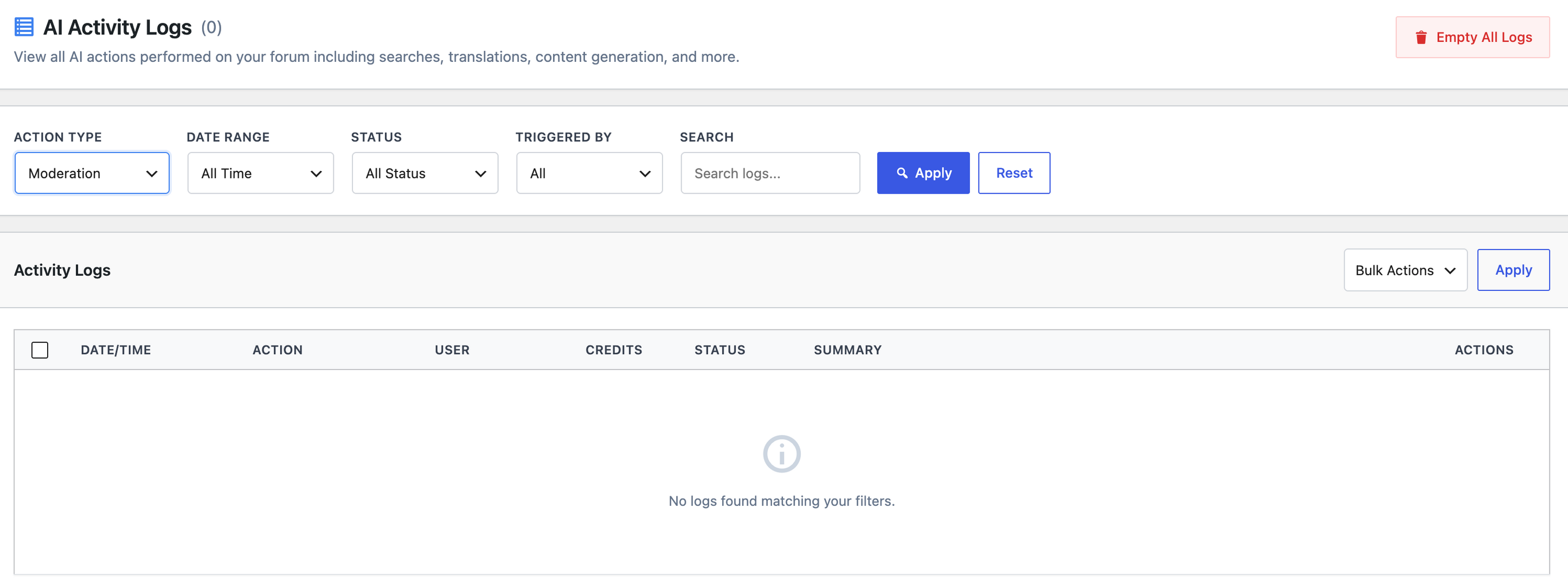
I am trying the AI moderation on the 500 credit free plan and its letting me post spam and toxic content as a (subscriber) user. I unchecked "can pass moderation" and now i have to manually approve all post first, before it indexes. the settings for spam detection and enable toxicity detection are both yes. But in the AI logs i can only see content indexing and nothing on AI moderation either. Please let me know if i am doing something wrong thanks!

Hi wumdev,
Thanks for reporting this issue with the AI moderation feature. It sounds like you've already taken some good troubleshooting steps by unchecking "can pass moderation" and enabling both spam detection and toxicity detection. The fact that you're only seeing content indexing logs and no AI moderation activity is definitely a clue that something isn't working as expected on the moderation side.
Here are some steps I'd recommend to help diagnose the problem:
- First, verify that your 500 credit free plan is actually active and that you haven't used up your credits already. Sometimes the AI moderation silently fails if credits are depleted.
- Check the wpForo Tools admin page (which was added in version 3.1) to see if there are any error logs or status indicators for the AI moderation system. The new monitoring tabs might show what's happening behind the scenes.
- Test with obvious spam or toxic content to see if even clear violations are being caught. This will help determine if the feature is completely non-functional or just not catching certain types of content.
- Make sure your user roles and permissions are properly configured. Double-check that subscriber users are actually subject to the moderation rules you've set up.
- Clear any caches you might have running, as leftover cache from a previous version could interfere with the new moderation features.
Since you're on wpForo 3.1, this should be a relatively recent setup. If you've verified all these settings and the AI moderation still isn't logging any activity, this could be a genuine bug that the support team should look into. Have you checked if there are any known issues reported for AI moderation in version 3.1, or would you like to escalate this with the wpForo team directly?
@wpforo-support Thank you for your response but i tried all your steps and i believe the AI moderation is not working at all, all posts are automatically uploaded to the forum.I have attached some screenshots below. I cleared all my previous post and shared an obvious spam but it successfully accepted on the forum. Are you guys using the AI moderation in this forum? maybe you can walk me through your steps.
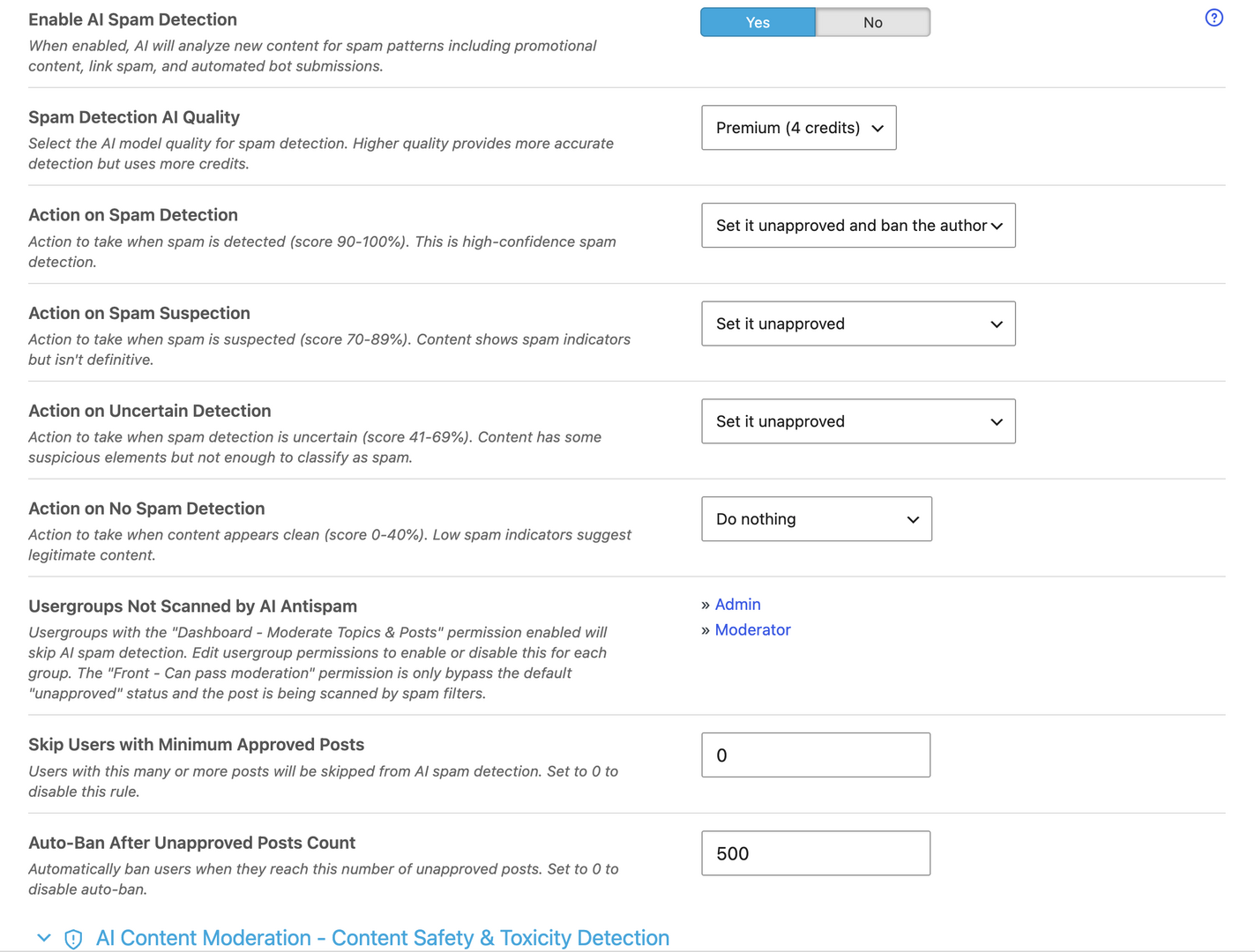
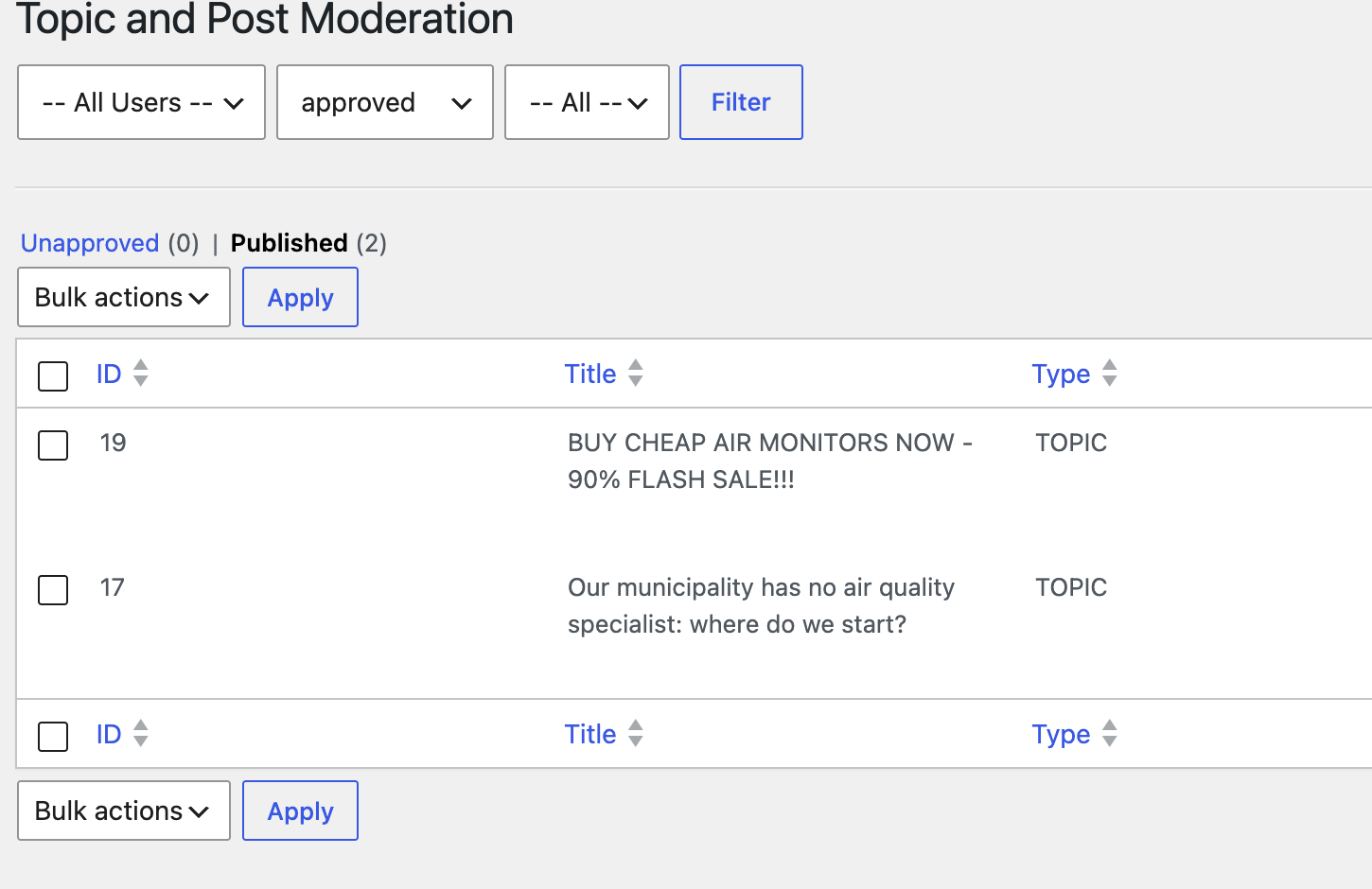
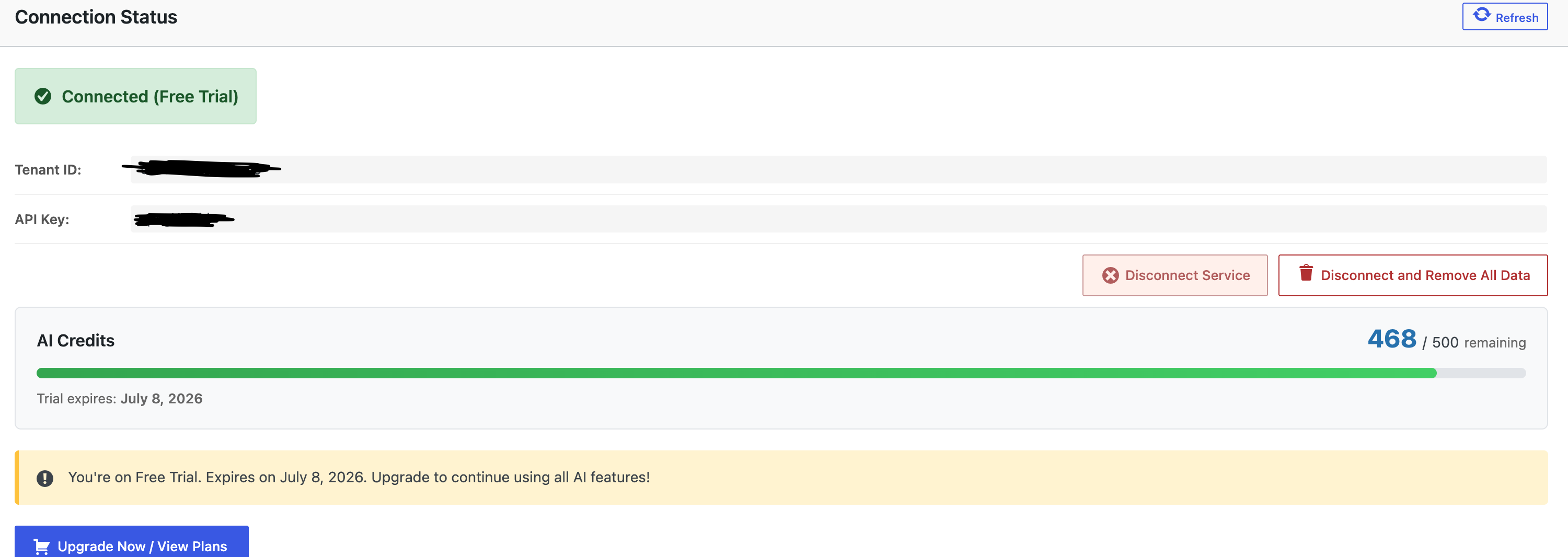
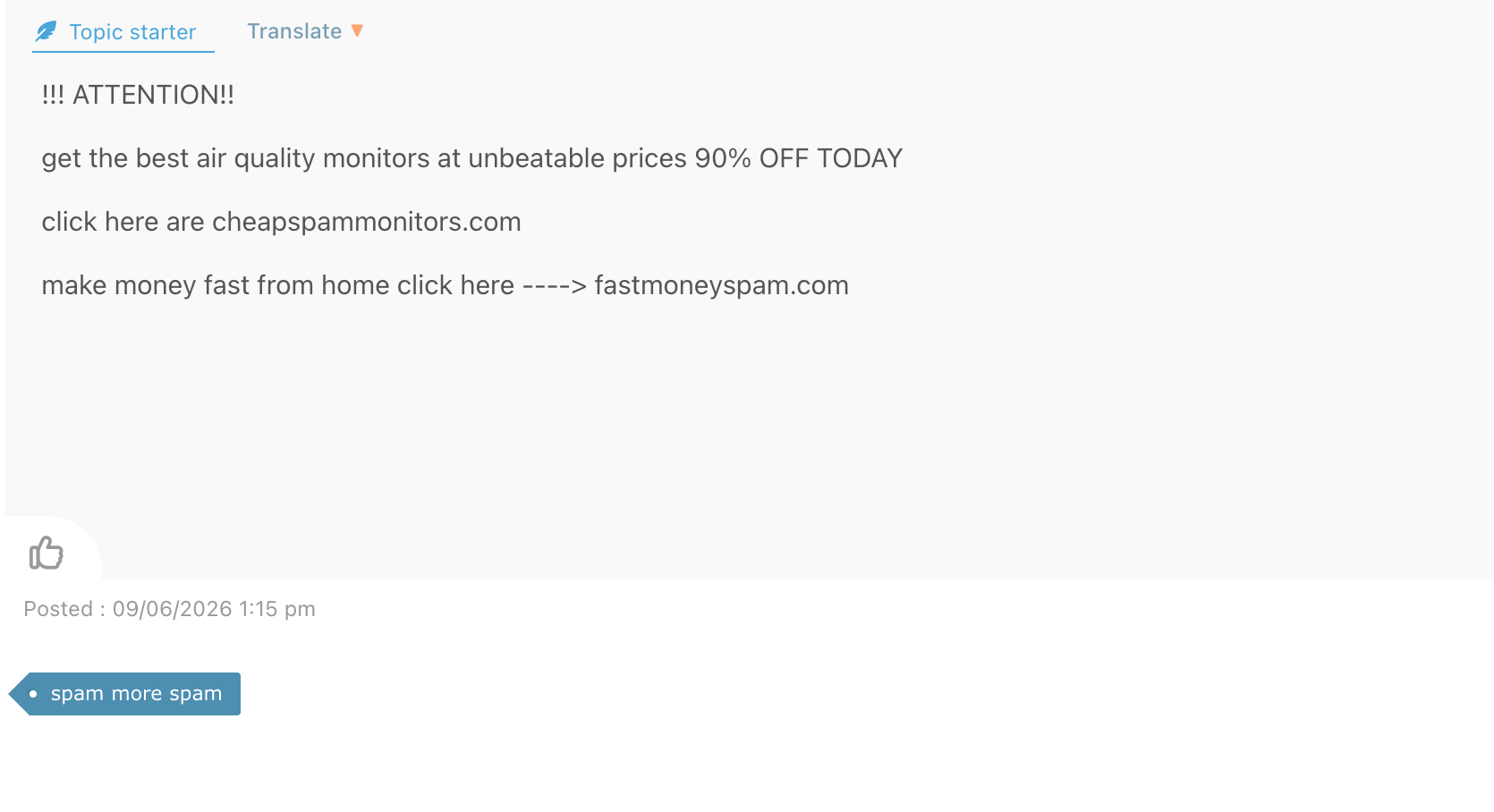

You've set the value of the "Skip Users with Minimum Approved Posts" option to 0, so posts from all users are skipped from moderation.
In case you want to say thank you 😊
We'd really appreciate and be thankful if you leave a good review on plugin page. This is the best way to say thank you to this project and support team.
@sofy Thank you for your response, I assumed setting to zero disables and always checks the users post. I set to 10,000 now and my moderation is working thanks!