
AI Assistant
Notifications
Clear all

[Closed] Allow Guests to Post, With Moderation

7 Posts
4 Users
1 Reactions
7,347 Views
Posts: 2
Topic starter
Translate
English
Spanish
French
German
Italian
Portuguese
Russian
Chinese
Japanese
Korean
Arabic
Hindi
Dutch
Polish
Turkish
Vietnamese
Thai
Swedish
Danish
Finnish
Norwegian
Czech
Hungarian
Romanian
Greek
Hebrew
Indonesian
Malay
Ukrainian
Bulgarian
Croatian
Slovak
Slovenian
Serbian
Lithuanian
Latvian
Estonian
(@charlesghc)
New Member
Joined: 8 years ago
[#6347]

I am trying to set up my forum to allow guests to post, pending moderator approval. However, these posts are visible to guests before they are approved by a moderator. Registered users do not see the post, however.

How can I allow guests to post without anyone seeing the post before it is approved?

Thanks


6 Replies
Sofy
Posts: 5774
 Sofy
Admin
Translate
English
Spanish
French
German
Italian
Portuguese
Russian
Chinese
Japanese
Korean
Arabic
Hindi
Dutch
Polish
Turkish
Vietnamese
Thai
Swedish
Danish
Finnish
Norwegian
Czech
Hungarian
Romanian
Greek
Hebrew
Indonesian
Malay
Ukrainian
Bulgarian
Croatian
Slovak
Slovenian
Serbian
Lithuanian
Latvian
Estonian
(@sofy)
Support Team
Joined: 8 years ago

Hi charlesghc,

Please navigate to Dashboard > Forums > Usergroups, edit the current Usergroup and uncheck/disable "Can pass moderation" permission. 


More information about wpForo spam control you can find here:

https://wpforo.com/community/wpforo-announcements/wpforo-1-2-0-is-released/


Posts: 2
Topic starter
Translate
English
Spanish
French
German
Italian
Portuguese
Russian
Chinese
Japanese
Korean
Arabic
Hindi
Dutch
Polish
Turkish
Vietnamese
Thai
Swedish
Danish
Finnish
Norwegian
Czech
Hungarian
Romanian
Greek
Hebrew
Indonesian
Malay
Ukrainian
Bulgarian
Croatian
Slovak
Slovenian
Serbian
Lithuanian
Latvian
Estonian
(@charlesghc)
New Member
Joined: 8 years ago

That option has already been disabled. When a guest posts, everyone but registered users can see it. I want to make it so that nobody can see it before moderation.


Robert
Posts: 10708
Admin
Translate
English
Spanish
French
German
Italian
Portuguese
Russian
Chinese
Japanese
Korean
Arabic
Hindi
Dutch
Polish
Turkish
Vietnamese
Thai
Swedish
Danish
Finnish
Norwegian
Czech
Hungarian
Romanian
Greek
Hebrew
Indonesian
Malay
Ukrainian
Bulgarian
Croatian
Slovak
Slovenian
Serbian
Lithuanian
Latvian
Estonian
(@robert)
Support Team
Joined: 2 months ago

Hi @charlesghc,

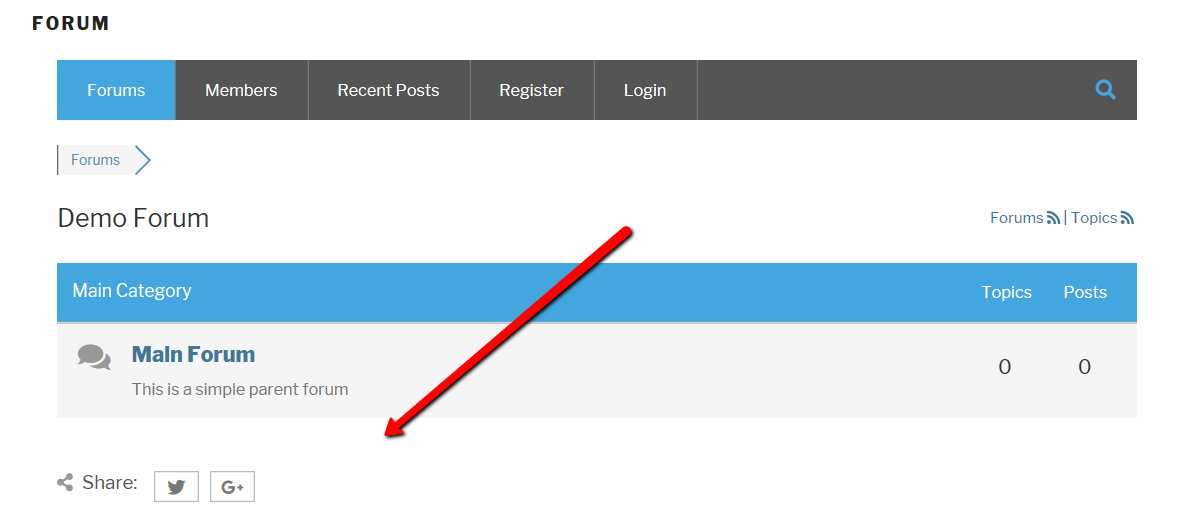
Guest A cannot see Guest B unapproved posts. Only the owner Guest B and admins can see that topic posts. There is only one case that Guest A can see the title of Guest B unapproved topic, but when Guest A clicks on that topic it's redirects to login page, so the content is not available for other Guest A and other guests until it's not approved.

So the only issue is related to the title listed under Forums as recent topic list in Extended Layout.

And this is a cache issue. If you click on [Delete all caches] in Dashboard > Forums > Dashboard admin page  this unapporved topic title will be hidden for Guest A and other guests and users.
Solution

As a solution I recommend temporary disable the "Object Cache" in Dashboard > Forums > Settings > Features Tab. We'll fix this issue in future releases.


Posts: 80
Translate
English
Spanish
French
German
Italian
Portuguese
Russian
Chinese
Japanese
Korean
Arabic
Hindi
Dutch
Polish
Turkish
Vietnamese
Thai
Swedish
Danish
Finnish
Norwegian
Czech
Hungarian
Romanian
Greek
Hebrew
Indonesian
Malay
Ukrainian
Bulgarian
Croatian
Slovak
Slovenian
Serbian
Lithuanian
Latvian
Estonian
(@jeanne)
Estimable Member
Joined: 9 years ago

I have a problem in that guests (people who are reading the forum, but  not logged in and have read-only access) are no longer able see topic page numbers or able to see posts made on a previous page of a topic. Can this be changed so they can read earlier pages of a topic?  They say it is a problem that recently started about a month ago.  I don't know how to fix it. 


1 Reply
Sofy
 Sofy
Admin
(@sofy)
Joined: 8 years ago

Support Team
Posts: 5774
Translate
English
Spanish
French
German
Italian
Portuguese
Russian
Chinese
Japanese
Korean
Arabic
Hindi
Dutch
Polish
Turkish
Vietnamese
Thai
Swedish
Danish
Finnish
Norwegian
Czech
Hungarian
Romanian
Greek
Hebrew
Indonesian
Malay
Ukrainian
Bulgarian
Croatian
Slovak
Slovenian
Serbian
Lithuanian
Latvian
Estonian

Hi @jeanne,

As far as I understand you there is no topic pagination, isn't it? If yes, please read this support topic, here Robert described the reason for the issue:

https://wpforo.com/community/how-to-and-troubleshooting-2/topic-pages-disappeared/#post-26229


Page 1 / 2
Share: