Notifications
Clear all

Limited Support

Our support team is currently on holiday from December 25, 2025 to January 7, 2026, and replies may be delayed during this period.

We appreciate your patience and understanding while our team is away. Thank you for being part of the wpForo community!

Merry Christmas and Happy Holidays! 🎄

Hide "participants" column

10 Posts
2 Users
1 Reactions
1,500 Views
Posts: 454
Topic starter
(@danniee)
Honorable Member
Joined: 6 years ago

Hi,

How can I hide the "participants" column and can I replace it with a link to the latest post instead?


9 Replies

Sofy
Posts: 5648
 Sofy
Admin
(@sofy)
Support Team
Joined: 8 years ago

Please read this support topic: https://wpforo.com/community/how-to-and-troubleshooting-2/hide-participants-column/paged/2/#post-108595

The same question is discussed here. 


Reply
Posts: 454
Topic starter
(@danniee)
Honorable Member
Joined: 6 years ago

But the question is not solved there and it's also locked.


Reply
Posts: 454
Topic starter
(@danniee)
Honorable Member
Joined: 6 years ago

Some help with the code to have this column removed would be highly appreciated.


Reply
3 Replies
Sofy
 Sofy
Admin
(@sofy)
Joined: 8 years ago

Support Team
Posts: 5648

@danniee

Here it is:

#wpforo #wpforo-wrap .wpfl-2 .wpforo-forum .wpforo-forum-data .wpforo-forum-details .wpf-stat-box:last-child{display:none}

Reply
(@danniee)
Joined: 6 years ago

Honorable Member
Posts: 454

@sofy if that is from the other thread, it doesn't work. I tried it before as you could see in that thread.


Reply
Sofy
 Sofy
Admin
(@sofy)
Joined: 8 years ago

Support Team
Posts: 5648

@danniee 

The code works fine. Please watch this video:


Reply
Posts: 454
Topic starter
(@danniee)
Honorable Member
Joined: 6 years ago

Hi Sofy, thank you for showing me that it does work. I added it to the css customization box in the plugin but nothing happened. Should I try to add it in my child theme?


Also, is there a way to align the other two columns better so they are spread out? Otherwise it looks like it's just a column missing? 🙂


Many thanks


Reply
2 Replies
Sofy
 Sofy
Admin
(@sofy)
Joined: 8 years ago

Support Team
Posts: 5648

@danniee 

Probably you have not cleared all caches before checking. 

Also, is there a way to align the other two columns better so they are spread out? Otherwise it looks like it's just a column missing?

Please note, we don't provide CSS codes for style customization. We may help with 1-2 simple questions related to colours and background, but not more.

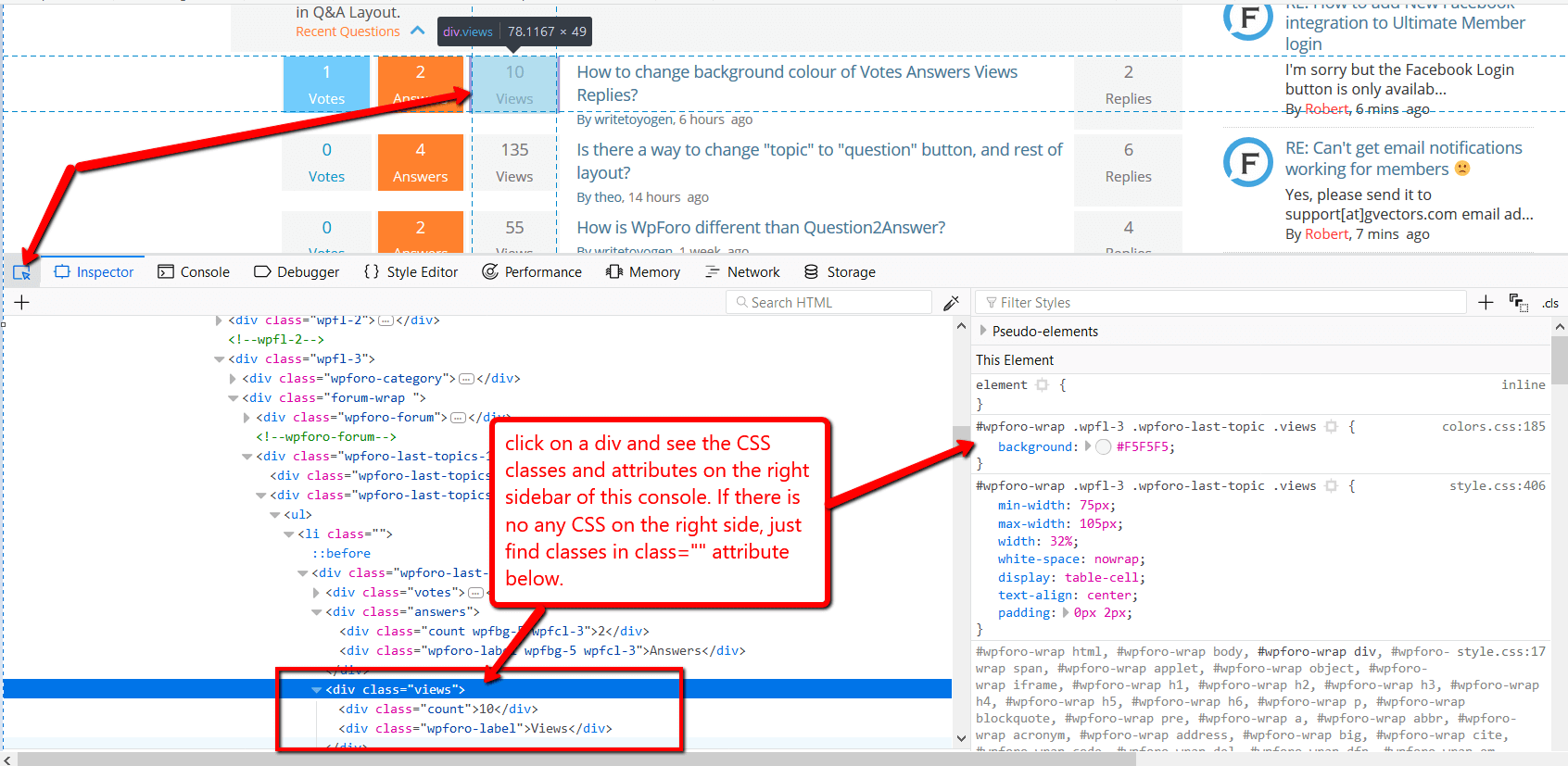
You can find the classes by pressing F12 on the browser and opening Chrome or Firefox Console, it'll help you easily write CSS rules you need to customize.

Don't forget to delete the caches once you make changes.

This website should help you to write CSS rules:   https://www.w3schools.com/cssref/default.asp


Reply
(@danniee)
Joined: 6 years ago

Honorable Member
Posts: 454

@sofy many thanks, will try 🙂


Reply