Notifications
Clear all

Limited Support

Our support team is currently on holiday from December 25, 2025 to January 7, 2026, and replies may be delayed during this period.

We appreciate your patience and understanding while our team is away. Thank you for being part of the wpForo community!

Merry Christmas and Happy Holidays! 🎄

wpForo 1.x.x [Closed] Redirect after login is not working

12 Posts
3 Users
0 Reactions
2,575 Views
Posts: 30
Topic starter
(@civilenggnotes)
Eminent Member
Joined: 6 years ago

Hello,

I am using wpforo login and register form. And i am trying to redirect to the page from where the user came, like a post or page or forum post. So i search on wordpress support and wpforo community, and i came to know that the default form works in that way. But it is not working for me.  I have done everything,  even deleting the full cache. Please have a look at www.civilenggnotes.in and give a solution. 

And think there is already a wpforo support account.


11 Replies
Posts: 991
Moderator
(@martin)
Support Team
Joined: 9 years ago

Hi @civilenggnotes,

Have you tried the redirection options in Dashboard > Forums > Settings > Members Tab?


6 Replies
(@civilenggnotes)
Joined: 6 years ago

Eminent Member
Posts: 30

@martin

If i changed those to some url they are working. But when they are blank, redirecting the user to the previous page from where he/she came to the login page is not working


Robert
Admin
(@robert)
Joined: 10 years ago

Support Team
Posts: 10592

@civilenggnotes,

What is your website login URL? Can I see that?


(@civilenggnotes)
Joined: 6 years ago

Eminent Member
Posts: 30
Robert
Admin
(@robert)
Joined: 10 years ago

Support Team
Posts: 10592

Thank you, @civilenggnotes,

Please exclude your forum home page from Light Speed cache plugin, here is the instruction:  https://wpforo.com/community/faq/wpforo-and-cache-plugins/


(@civilenggnotes)
Joined: 6 years ago

Eminent Member
Posts: 30

@robert

I have already excluded that. Previously i had another problem, then i was told to exclude it. And then i did it..


Robert
Admin
(@robert)
Joined: 10 years ago

Support Team
Posts: 10592

@civilenggnotes,

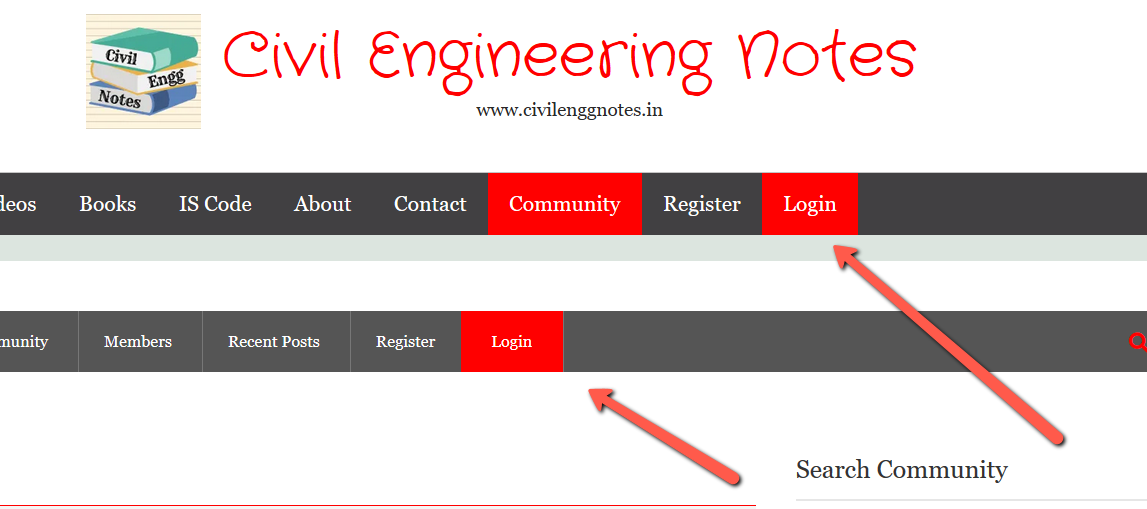
Please go to Dashboard > Appearance > Menus, edit the Primary and wpForo navigation and show me how have you created these login menus:


Which login menu you use when you test? Is there any difference?


Robert
Posts: 10592
Admin
(@robert)
Support Team
Joined: 10 years ago

@civilenggnotes,

The redirection works fine, we just login and it redirected to the previous page:


3 Replies
Robert
Admin
(@robert)
Joined: 10 years ago

Support Team
Posts: 10592

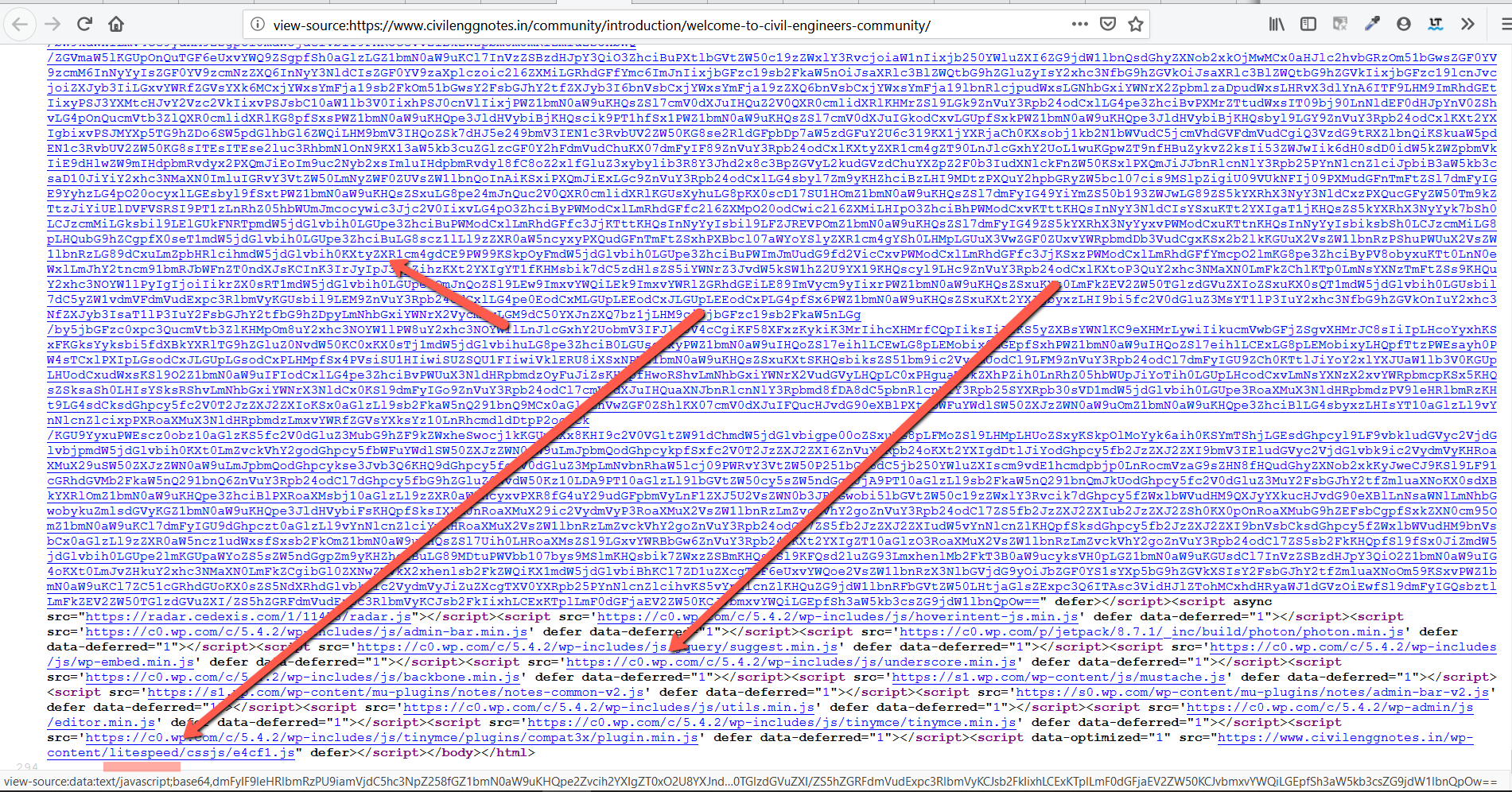
And one more thing, the cache is not properly excluded or you have other caching solutions. Please edit the forum page and check options, if you see minify/optimize/JS/CSS related options just disable all those. Currently, if you press Ctrl+U you'll see composed/cached/minified content:


(@civilenggnotes)
Joined: 6 years ago

Eminent Member
Posts: 30

@robert

It does not matter from where i came to the login, it is always redirecting me to the forum main page. 

For example, i am using wpdiscuz plugin from you. There i am using this login option. When i am coming from post by the login link in comment form, then is redirecting to the forum page, not the post from where i came.


Robert
Admin
(@robert)
Joined: 10 years ago

Support Team
Posts: 10592

@civilenggnotes,

I've shown above, it works fine. wpForo redirects to the previous page. Have you read my post above? https://wpforo.com/community/how-to-and-troubleshooting-2/redirect-after-login-is-not-working/#post-44229