

Hi everyone, I'm new to wpForo and setting up a forum on my WordPress site. By default it looks like member avatars come from Gravatar. Is there a built-in option to let members upload their own custom avatar image directly in their profile? If not, is there an addon for this? Thanks!



Hi,
Welcome to wpForo!
Yes, wpForo allows members to upload their own custom avatar images directly from their profiles.
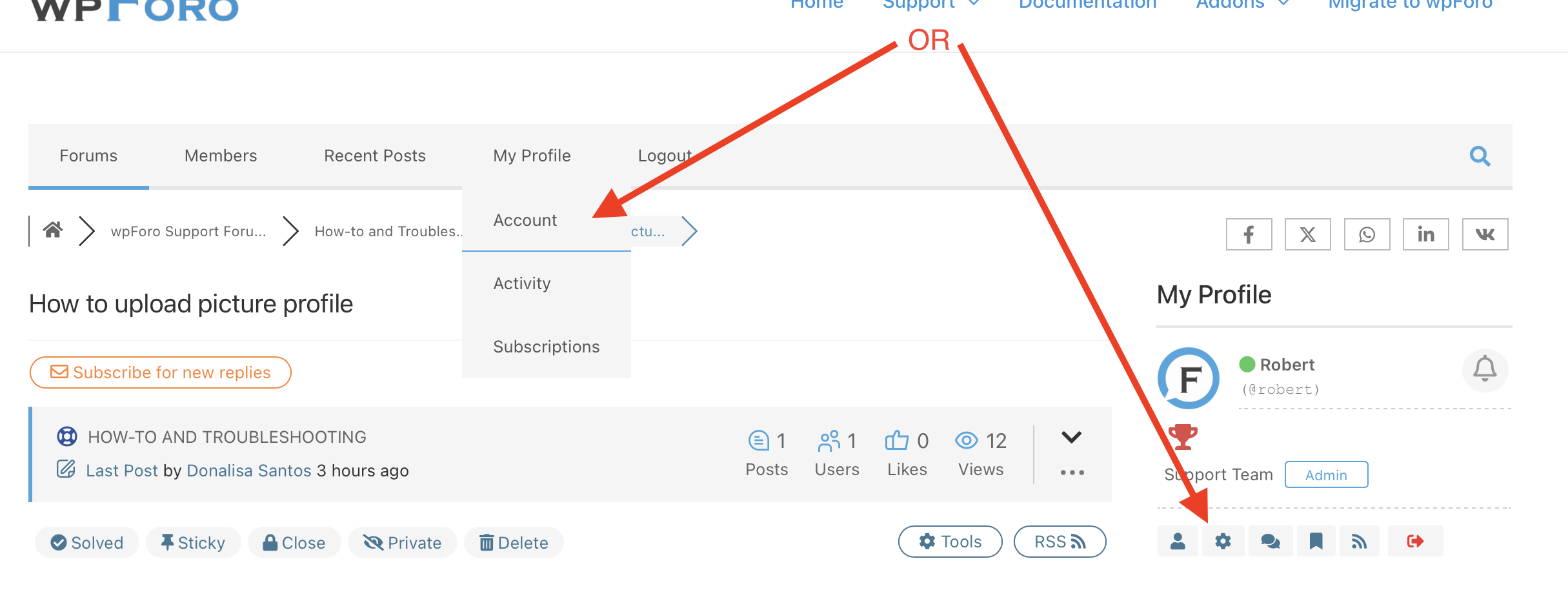
You can find wpForo profile editing page in the forum page:.
To allow users to add or edit their profile picture (avatar) in wpForo, make sure they have the "Edit Account Information" button available on their profile page. If users don't see this button, check the setting in your WordPress Dashboard under wpForo > Settings > Spam Protection. There is an option called "Min number of posts to be able to edit profile information"; adjust this setting so users meet the requirement to edit their profile, including their avatar. This will enable users to upload or change their profile picture (avatar).

You can configure the available avatar options in the wpForo settings. Please check Dashboard > wpForo > Settings > Member Profile and review the avatar-related options.
Helpful documentation: https://wpforo.com/docs/wpforo-v3/settings/member-profile/