
[Solved] Odd behaviour on What's New

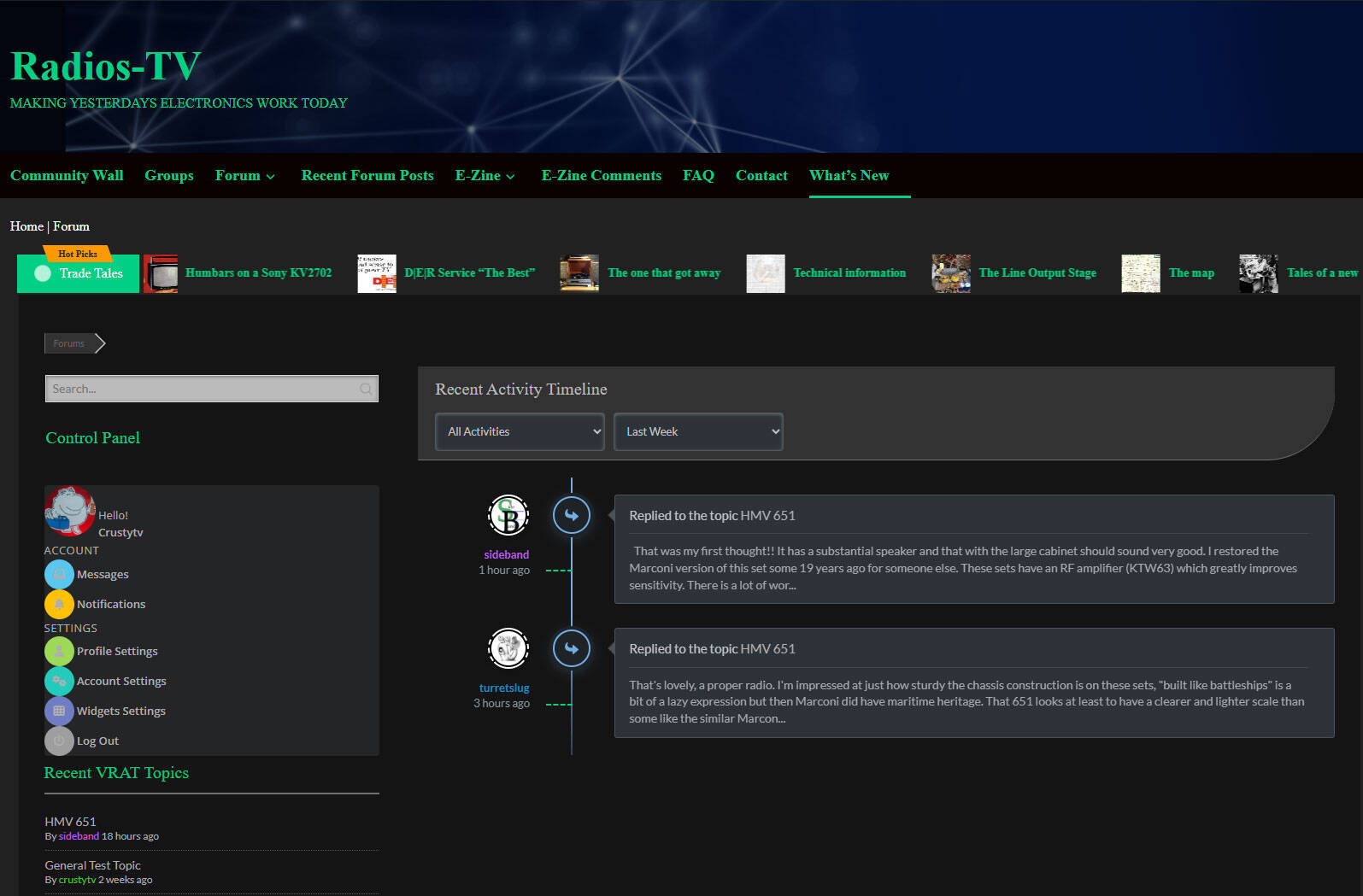
My What's new timeline is not giving a link, it just shows the excerpt, so nobody can link to the post etc. Plus i's only showing todays new posts which were just two, even when I adjust the filter to a month, any idea why?
p.s. No db errors whatsoever.
Hi @cmw14 ,
The title of topic is a link, please try to click it. It seems you have a custom css that conflicts with normal link style.
In case you want to say thank you !)
We'd really appreciate and be thankful if you leave a good review on plugin page. This is the best way to say thank you to this project and support team.
Ah-Ha .... that not only well and truly caught me out but a fair number of members too. 🙃
Since reading your reply yesterday evening, try as I might I cannot effect change to the link colour without it also changing the post content colour also, ending up in the same scenario.
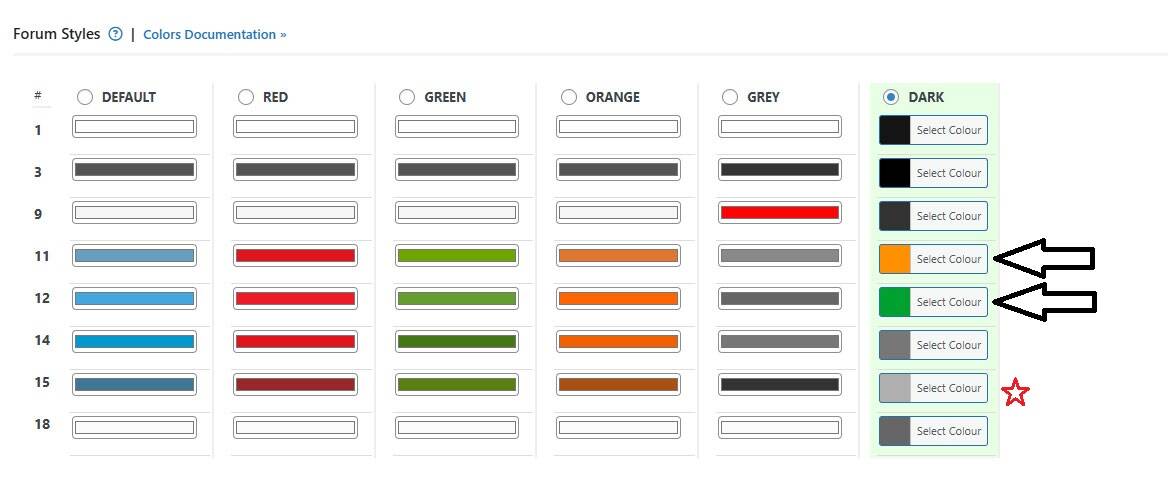
I'm using the default "DARK" colour option and have left everything standard except 11 & 12. It would appear to me (probably incorrectly) 15 is the one that is making links appear the same colour as the post text. However, as I mentioned when I change this I'm just go round in circles just recreating the same condition just with another colour.
The hover link colour does show up and highlight the link, but I would really like them to stand out in a colour different to post text.
The attached photo below shows the only two changes I made to the Dark colours, marked by arrows. The red star is the one which I think is responsible for my link colour and post colours being identical, but as you've probably guessed I'm clueless to resolve this, sorry.



Robert is referring the css conflict from your WordPress theam and custom css from. This is not wpForo color selection issue. Try to inspect all affecting css codes in the browser dev tool.
If you are not familiar with that, leave a direct url to that page, we'll chek it for you.
Powered by gVectors Team. our popular plugins:
wpForo, wpDiscuz

Posted by: @martinIf you are not familiar with that, leave a direct url to that page, we'll chek it for you.
https://www.radios-tv.co.uk/community/


In case you want to say thank you 😊
We'd really appreciate and be thankful if you leave a good review on plugin page. This is the best way to say thank you to this project and support team.
If you want to change the link color you can use a custom CSS. Put this CSS code in the wpForo > Settings > Colors & Stypes > Custom CSS Code texarea, save it, delete all caches and do hard refresh of the What's new page:
#wpforo #wpforo-wrap .wpforo-content a {
  color: #5df950;
}
#wpforo #wpforo-wrap .wpforo-content a:hover {
  color: #ff7c3c;
}
Powered by gVectors Team. our popular plugins:
wpForo, wpDiscuz
@martin wonderful, thank you so much, I really appreciate your help.
That has not only fixed the topic links colours in the what's new section but also the rest of my forum had the same trouble which is now fixed.
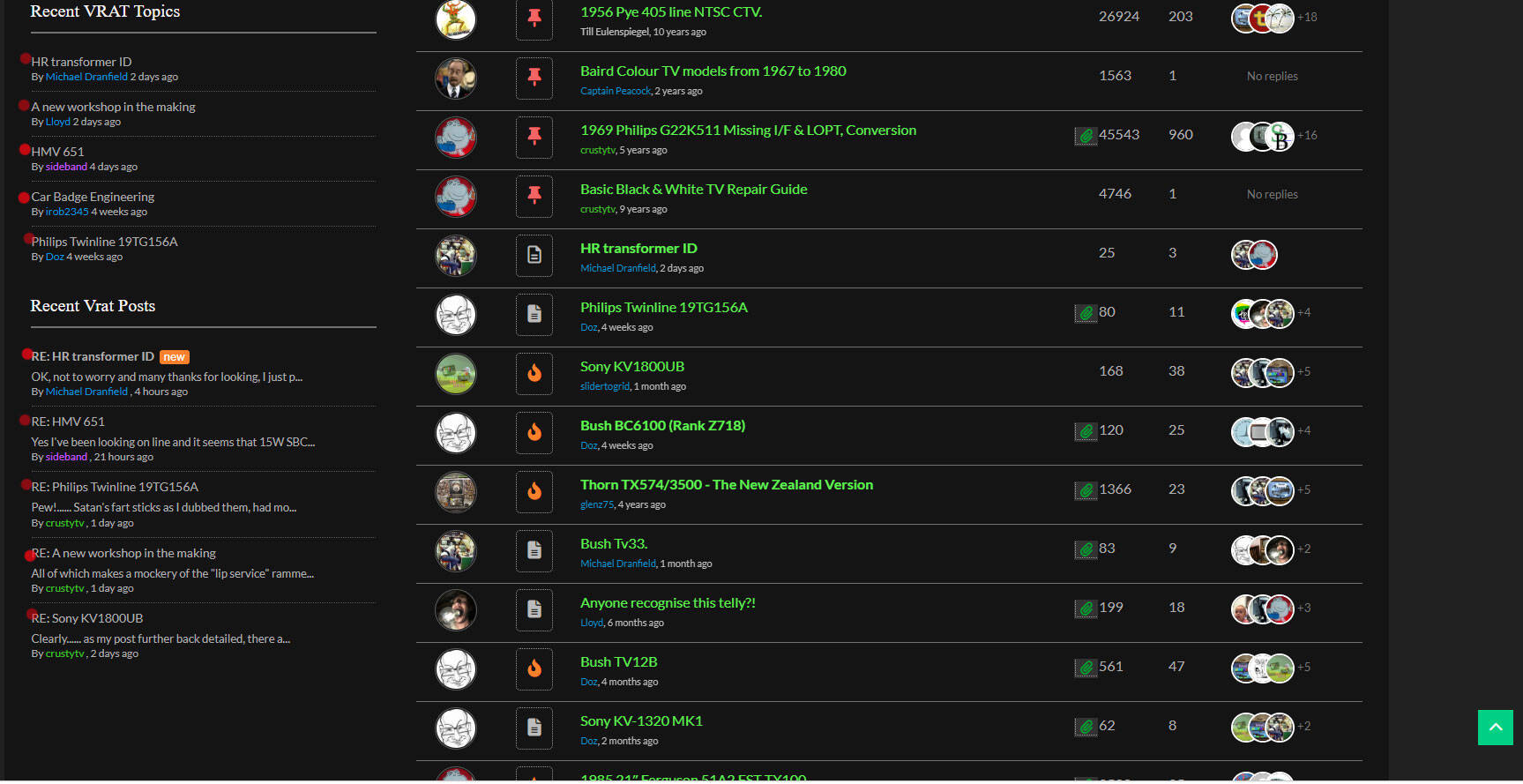
I'm only left with the wpforo widgets not showing the correct colour for a link. Is there anything that can be done to fix that? If not I'm more than happy with what you've done for me.
I've attached a photo, the red dots show where I mean, I thought these should also be the same as the fix, green link orange hover.
@martin please ignore, I seem to have sorted it myself by following your lead and adding this code to the css.
#wpforo #wpforo-wrap .wpforo-widget-content a {
  color: #5df950;
}
#wpforo #wpforo-wrap .wpforo-widget-content a:hover {
  color: #ff7c3c;
}
-
wpForo 3.2.2 — Registered usergroup opens as Guest
1 day ago
-
Forum wpforo page displays as it should, clicking any forum link makes a mess
2 days ago
-
How do I add custom fields to member profiles?
2 days ago
-
Cannot add files on responses
1 week ago
-
member ratings upgraded without meeting required points!!!
1 week ago
- 19 Forums
- 14.3 K Topics
- 71.7 K Posts
- 48 Online
- 6,462 Members